AI IMAGE & GIF CREATOR

GPT Image 2.6 — Try FreeCreate images. Animate ideas. Edit photos.

With GPT Image 2.6, turn a text prompt into an animated GIF, create a 4K image, or edit an uploaded photo. Choose your GIF speed and download a loop ready to share.

Sign up for free credits. Each generation uses credits; the estimate is shown before you start.

Text to GIF2–16 frame GIFSVG + 4K
Create with GPT Image 2.6

Output

Planning: Free — does not change the price.

Est. 20 credits

Billing rules

Motion inspiration · Four scenes to explore

Animated orange cat in a chef hat kneading dough on a wooden bakery counterGIF

01 / Start with a character

Create animated characters with GPT Image 2.6.

Make a mascot wave, a pet cook, or a character celebrate. GPT Image 2.6 helps turn a simple scene into a looping GIF for reaction stickers, community posts and playful announcements.

Text to image1K–4K stills
Try your own idea
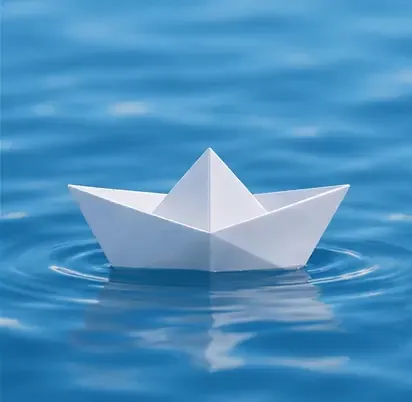
Animated white paper boat bobbing on blue water as circular ripples spread around itGIF

02 / Add a little motion

Turn a prompt into a looping GIF.

Use GPT Image 2.6 to animate gentle ripples, drifting clouds or a flickering candle. Set the frame duration for a faster reaction or a slower, calming loop before you generate.

Looping GIFAdjustable timing
Try your own idea

Choose your canvas

GPT Image 2.6: five output formats.

Start creating ↗

PNG

Lossless still

JPEG

Web-ready image

WebP

Compact image

GIF

A looping moment

SVG

Scalable vector

GIF and SVG are available in text-to-image mode. Photo edits export as PNG, JPEG or WebP.

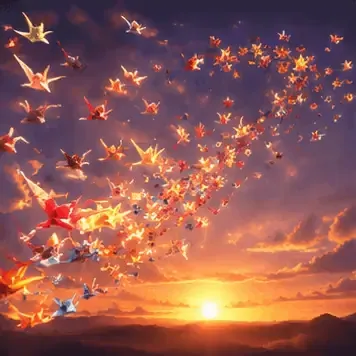
Animated colorful origami birds forming a flying whale silhouette against a purple and orange sunsetGIF

03 / Explore the unexpected

Explore visual ideas with GPT Image 2.6.

Create a surreal social post, an illustrated story or a colorful campaign concept. Try paper art, soft clay or a cinematic sunset in GPT Image 2.6, then refine one detail at a time.

Composition ideasCreative prompts
Explore prompts
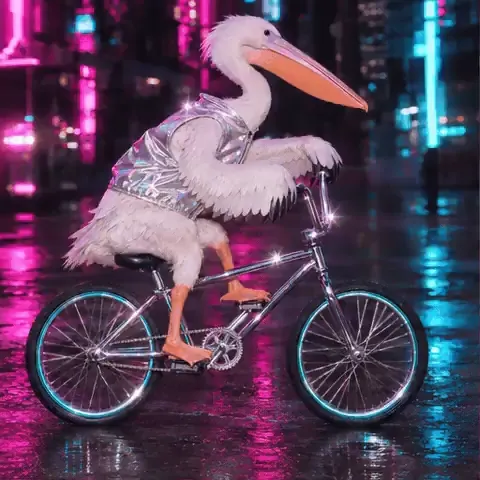
Animated pelican wearing a silver jacket riding a bicycle through a neon-lit city streetGIF

04 / Make it your own

Give your photos a new direction.

Use GPT Image 2.6 for portrait restyling, product backgrounds and eye-catching cover images. Upload a photo in Edit mode and describe the change; photo edits download as still images.

Photo editingPNG · JPEG · WebP
Try your own idea

From idea to something useful

What will you make with GPT Image 2.6?

Build assets for the places you already share your work. Start with a specific audience, a clear subject and one visual goal.

Animated stickers & reactions

Create a waving mascot, a happy pet or a tiny celebration with GPT Image 2.6. Keep the action simple so the loop reads at a small size.

Social posts & cover images

Use GPT Image 2.6 for launch graphics, illustrated posts and channel covers. Choose an aspect ratio that suits the placement.

Product photo backgrounds

Upload a product photo to GPT Image 2.6 and describe a studio backdrop or seasonal setting. Check labels and product details before publishing.

Portraits & character concepts

Explore a watercolor portrait, a clay character or a cinematic avatar. GPT Image 2.6 can help you try different visual directions.

Logos, icons & vector art

Choose SVG in GPT Image 2.6 to explore simple marks and flat illustrations. Download the vector and inspect its shapes at different sizes.

Invitations & event graphics

Draft a birthday invitation or an event announcement with GPT Image 2.6. Put exact text in quotes and proofread the result.

How to make a GIF with GPT Image 2.6

  1. 01

    Describe one movement

    In GPT Image 2.6, start with a subject, an action and a setting: a smiling clay cat waving against a pastel background.

  2. 02

    Choose GIF and timing

    Set GPT Image 2.6 to GIF output. Pick 2–16 frames and a frame duration; shorter timing makes the animation play faster.

  3. 03

    Preview your loop

    Generate, inspect the motion and download your GIF. To revise it, adjust your prompt or timing and generate a new version.

GPT Image 2.6 pricing in credits

GPT Image 2.6 credits depend on quality tier and resolution — not on frame count, not on planning depth. The estimate is shown in the composer before you generate.

Text to image
Quality1k2k4k
low203965
medium3365117
high3978137
xhigh72137247
max163306553
Edit · one reference included
Quality1k2k4k
low294975
medium4275127
high4988146
xhigh81146257
max172315562
GIF — same credits as the stillSVG — still + 13 creditsPlanning depth — free

1K / 2K / 4K are size tiers, not fixed pixel dimensions.

Additional reference images and a mask or markup layer increase the estimate. The complete price is converted to credits once, then rounded. Credits are reserved when generation starts and returned if generation fails or times out. One generation can run at a time.

Output sizes & animation limits
  • Resolution is a size tier, not fixed pixel dimensions; the aspect ratio changes the final dimensions.
  • GIF frames share one size budget. More frames can mean smaller individual frames.
  • GIF timing is rounded to 10 ms. Preview the downloaded loop to check its timing.
  • Frame count does not multiply the price. Planning depth is free.

GPT Image 2.6 FAQ

What can I create with GPT Image 2.6?

GPT Image 2.6 turns text prompts into still images, looping GIFs and SVG vectors. You can also upload photos for image editing. Use it for animated stickers, social posts, product concepts and illustrations.

Can GPT Image 2.6 turn a photo into a GIF or edit individual frames?

Not in this website's current editor. GIF generation starts from a text prompt; uploaded photos are edited as still images. There is no individual-frame editor. Describe your subject and its movement to create a new animation.

How do I change GIF playback speed?

Select GIF in GPT Image 2.6, then set the frame duration before generating. A shorter duration plays faster; a longer one plays slower. Choose 2–16 frames, with 20–2000 milliseconds per frame. Timing is rounded to 10 ms.

Can GPT Image 2.6 create SVG logos and icons?

Yes. Choose SVG for scalable icons, logo concepts and flat illustrations. GPT Image 2.6 SVG output adds 13 credits to the equivalent still image. Inspect the downloaded vector before publishing.

Can I edit photos with GPT Image 2.6?

Yes. Upload up to 16 reference images and describe the change. An optional mask or markup layer can guide the edit. GPT Image 2.6 returns PNG, JPEG or WebP; review the whole image because other details can also change.

How many credits does GPT Image 2.6 cost?

GPT Image 2.6 starts at 20 credits for low-quality 1K output, up to 553 for max-quality 4K. GIF costs the same as a still at the selected tier; SVG adds 13 credits. Extra references or guide layers increase the estimate.

Does planning depth cost extra?

No. Planning depth in GPT Image 2.6 is free. Lower it for simple scenes or raise it for compositions with several elements. Check the estimate before generating; failed or timed-out generations are refunded.

Can I use GPT Image 2.6 output commercially?

Commercial use follows this website's Terms of Service and applicable usage policies. Review rights to uploaded photos, characters and brand assets before publishing client work.

Terms of Service

Try GPT Image 2.6 on your next idea

A still, a loop, or a vector — same prompt box, one estimate before you commit.