Nano Banana 2.1 vs Nano Banana 2 vs Nano Banana Pro
Compare Nano Banana 2, Nano Banana 2.1 and Nano Banana Pro across portraits, products, posters, infographics and image edits. See how each model interprets the same prompt, inspect the results, and compare the credit costs before choosing one for your next project.
Where to start
Start with Nano Banana 2.1 for a new project here because it offers the listed resolutions at lower credit costs than Pro. Choose Pro when a controlled trial on your own brief gives you a result worth the extra credits. Keep an existing Nano Banana 2 workflow if it remains available and your approved outputs meet the brief; it is not separately selectable on this site.
Parameters at a glance
Availability describes this composer, rather than every service that may offer a similarly named model. A reference limit describes how many inputs you may supply, not a guarantee that every detail will be retained. Output resolution describes the selected size tier, not the quality of every texture or letter. Use the Nano Banana 2.1 feature guide to review the workflow before selecting a model.
| Feature | Nano Banana 2 | Nano Banana 2.1 | Nano Banana Pro |
|---|---|---|---|
| Availability here | Not separately selectable | Selectable image model | Selectable image model |
| Output resolution | Not offered separately | 1K / 2K / 4K | 1K / 2K / 4K |
| Image quality | Single-run samples below | Single-run samples below | Single-run samples below |
| Editing controls | Not offered separately | Prompt + up to 10 references | Prompt + up to 8 references |
| Text rendering | Poster and infographic samples below | Poster and infographic samples below | Poster and infographic samples below |
| Price basis | Not offered separately | Site credits; see pricing plans | Site credits; see pricing plans |
| Credits / image: 1K / 2K / 4K | Not offered separately | 15 / 25 / 35 | 110 / 110 / 170 |
| Speed tier / elapsed time | No comparable measurements | No verified speed ranking | No verified speed ranking |
Compare the image results
Each case uses the same prompt and square 1K output setting across all three models. The editing and character examples also share the same reference images, shown above their results. These are individual examples; your results may vary with each generation.
For portraits, compare facial detail, hair and clothing. For products, look at shape, materials and reflections. Check the exact wording and reading order in posters and infographics. In editing examples, compare the result with the reference to see what changed. Open an original image for a closer look.
Portrait detail and identity
Shared prompt: Editorial portrait of an adult with freckles and curly auburn hair, cobalt blue linen shirt, sunlit garden, soft daylight, realistic skin texture, shallow depth of field. No text, logos or watermark.
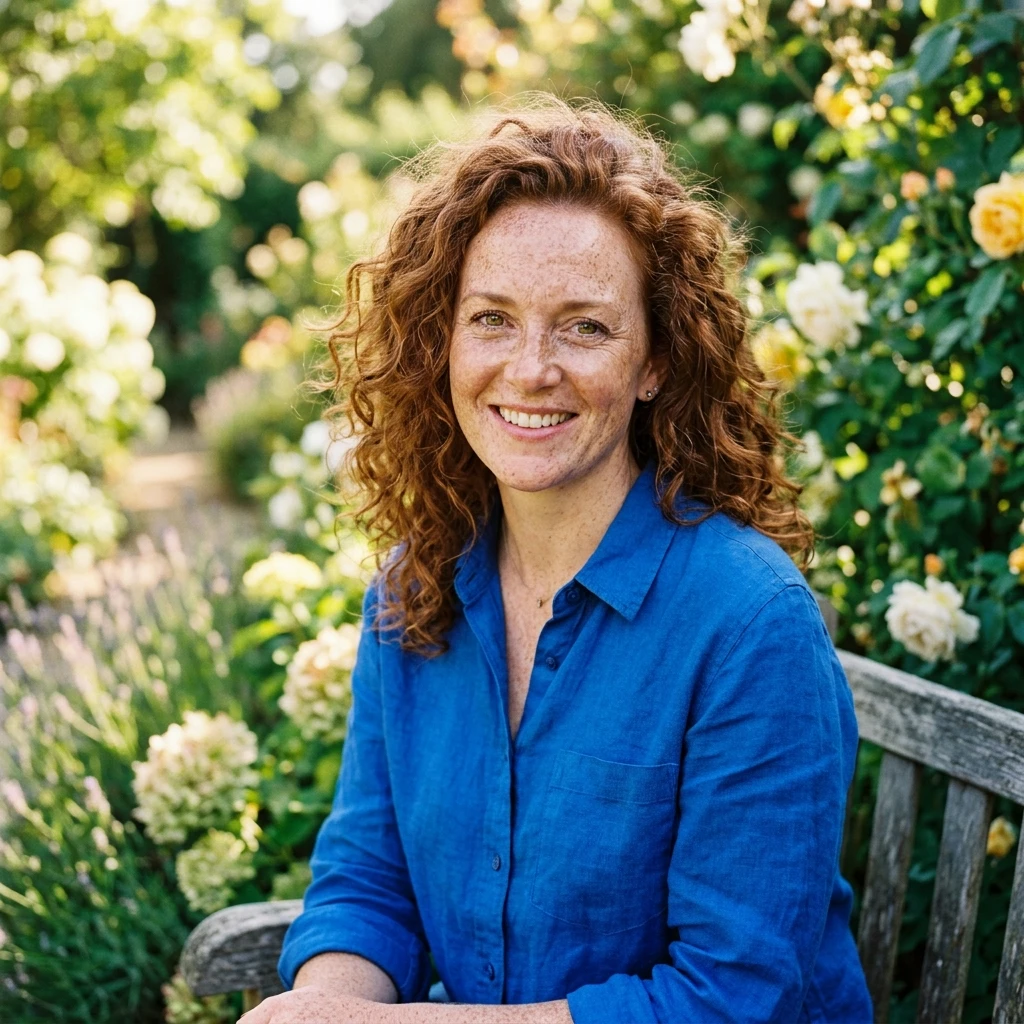
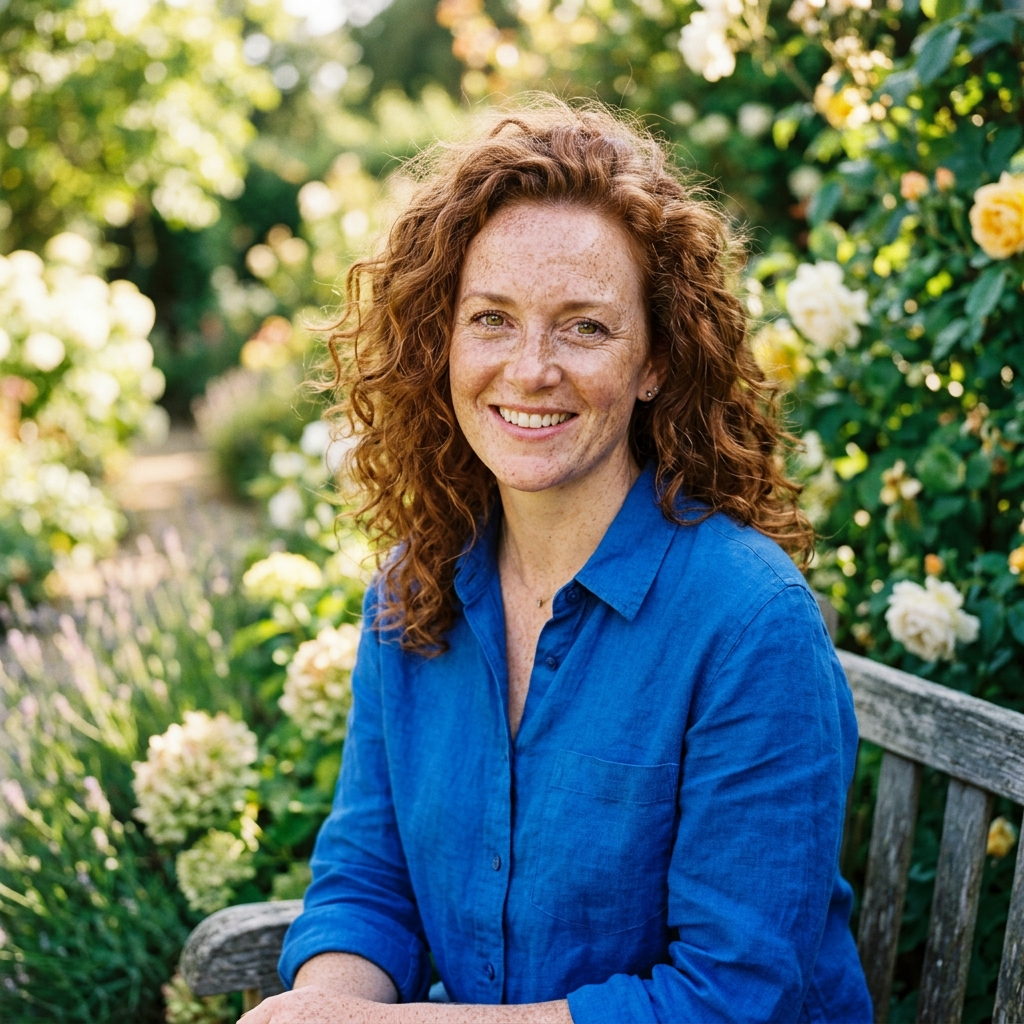
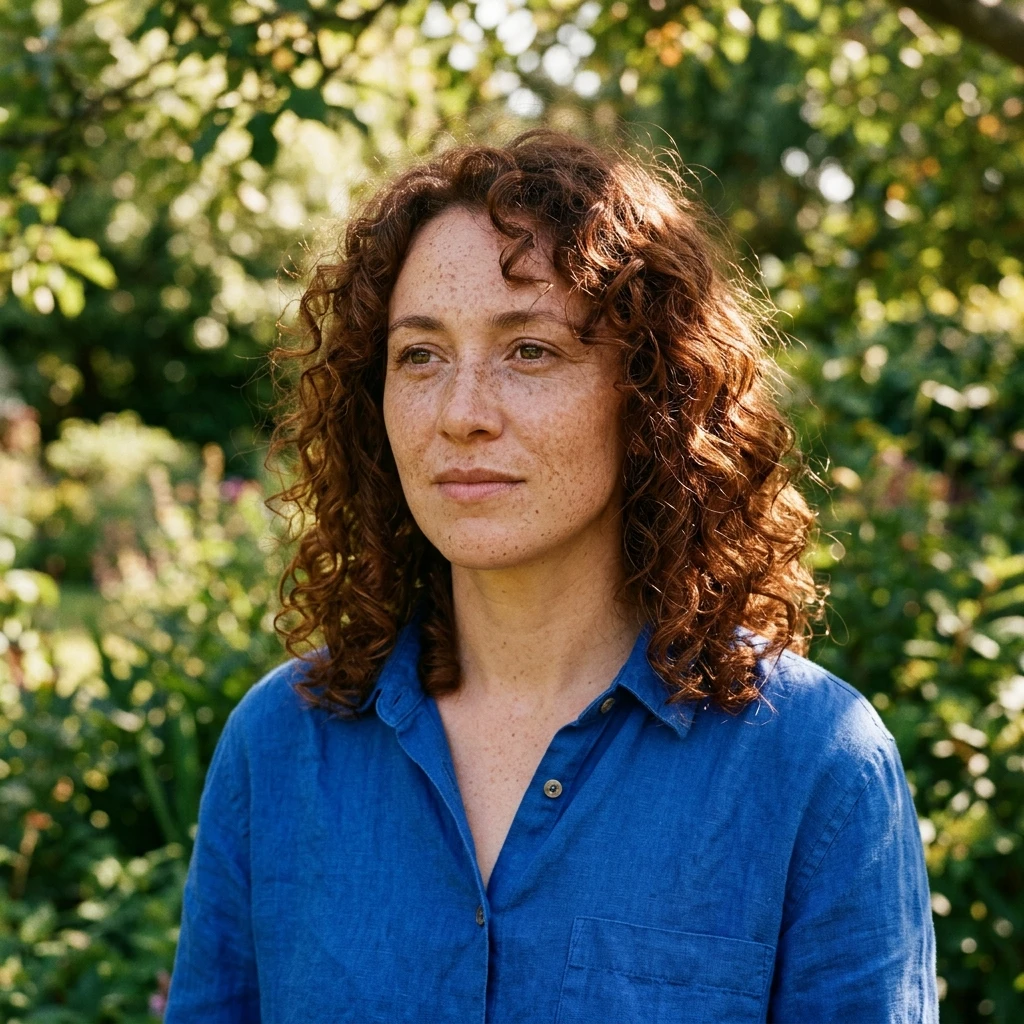
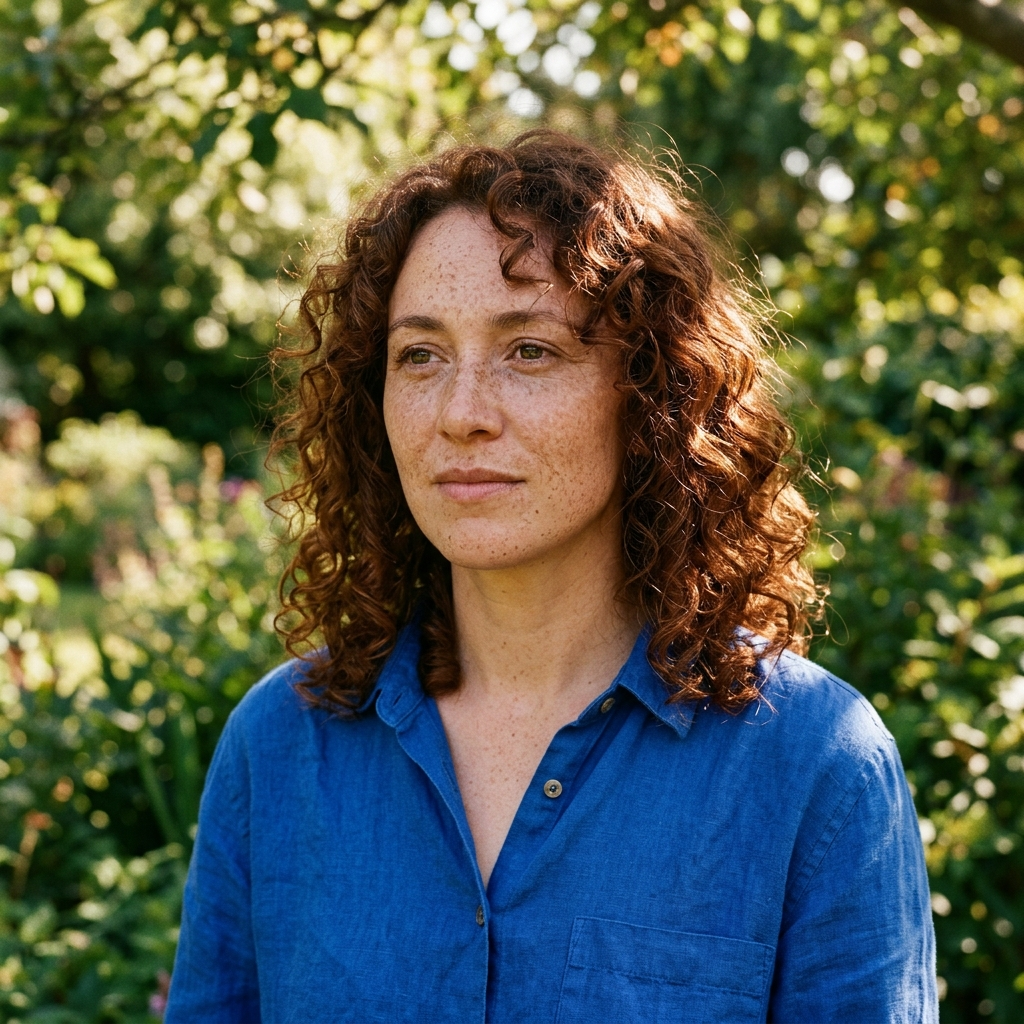
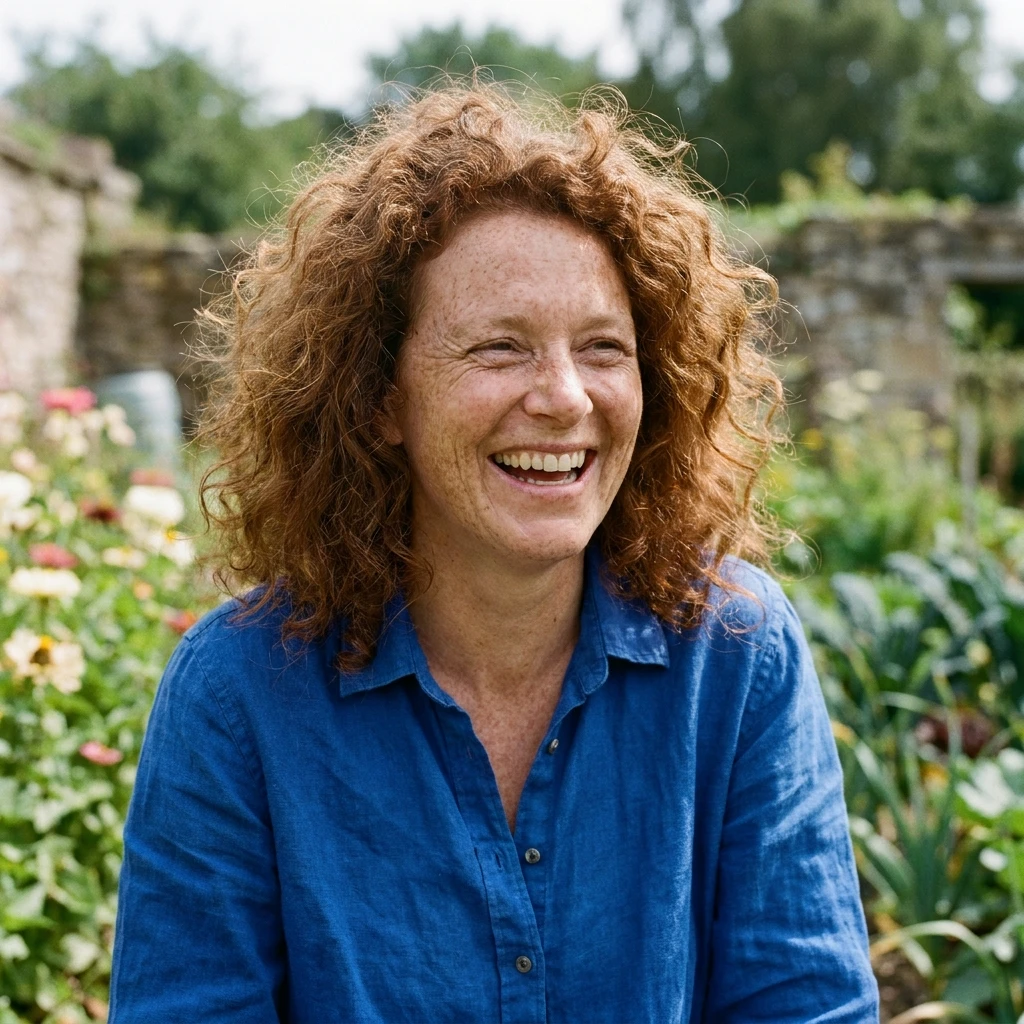
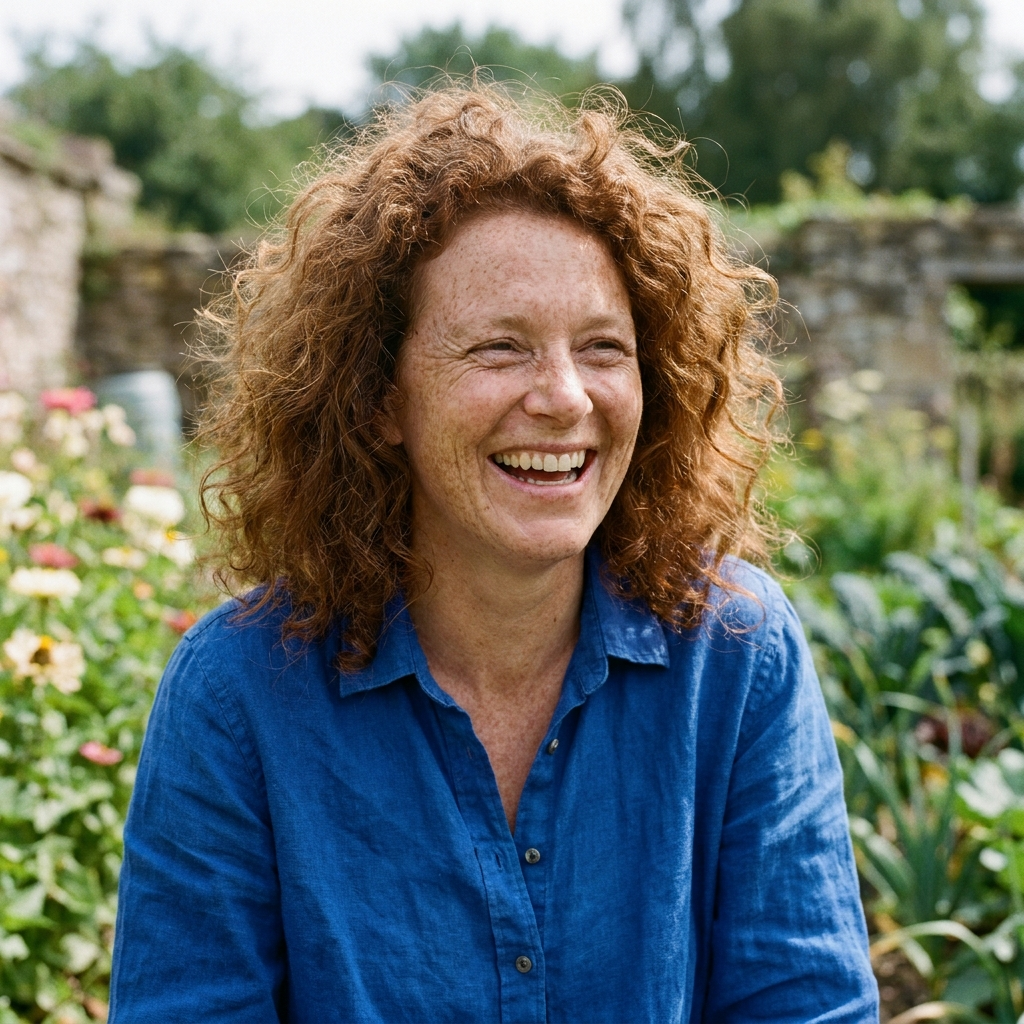
Finding: All three samples include the requested freckles, auburn curls, blue shirt and garden, but choose different framing and expressions.
This text-only prompt does not specify one person's identity. These samples show prompt interpretation, not identity preservation or a universal portrait-quality ranking.
Product shape and reflections
Shared prompt: Unbranded frosted glass citrus bottle on a pale lavender plinth, orange slices and green leaves, sky blue backdrop, crisp studio sunshine. Preserve a straight bottle silhouette and realistic reflections. No text or watermark.
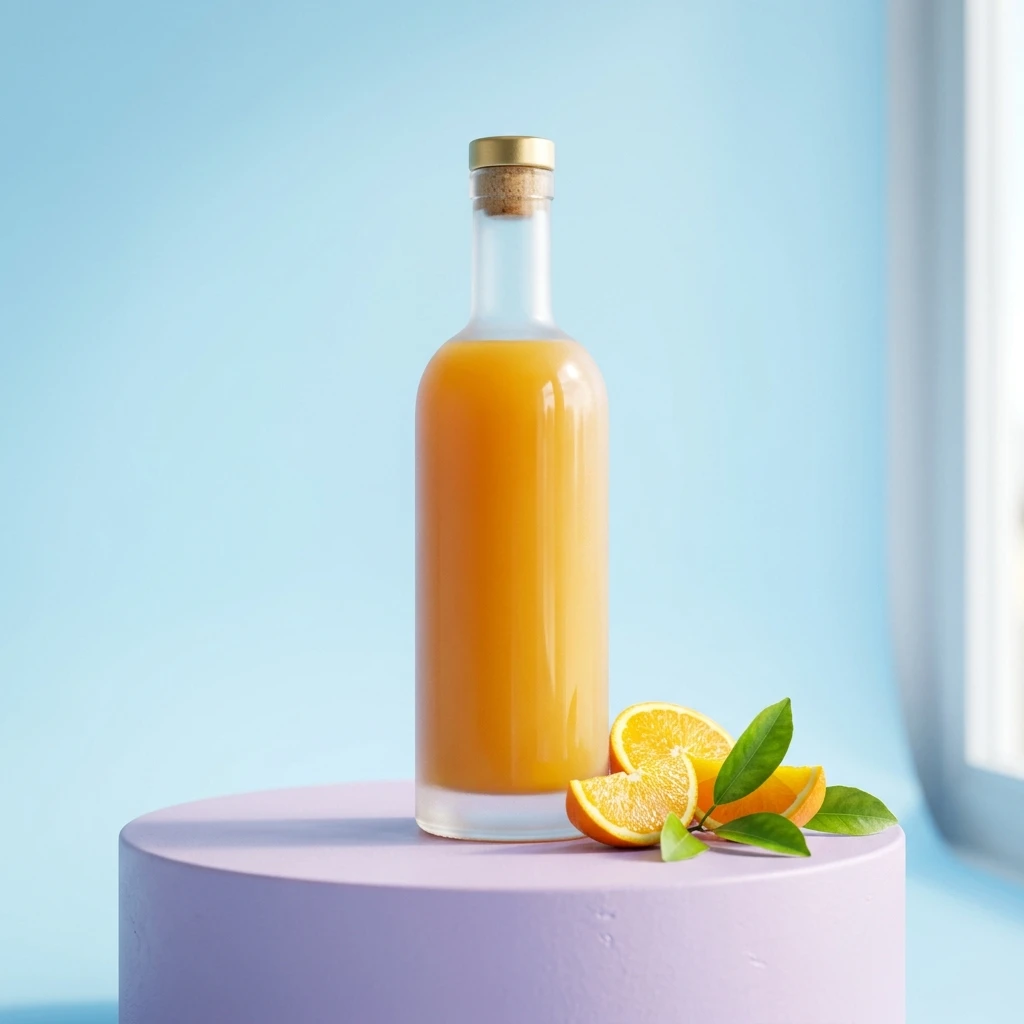
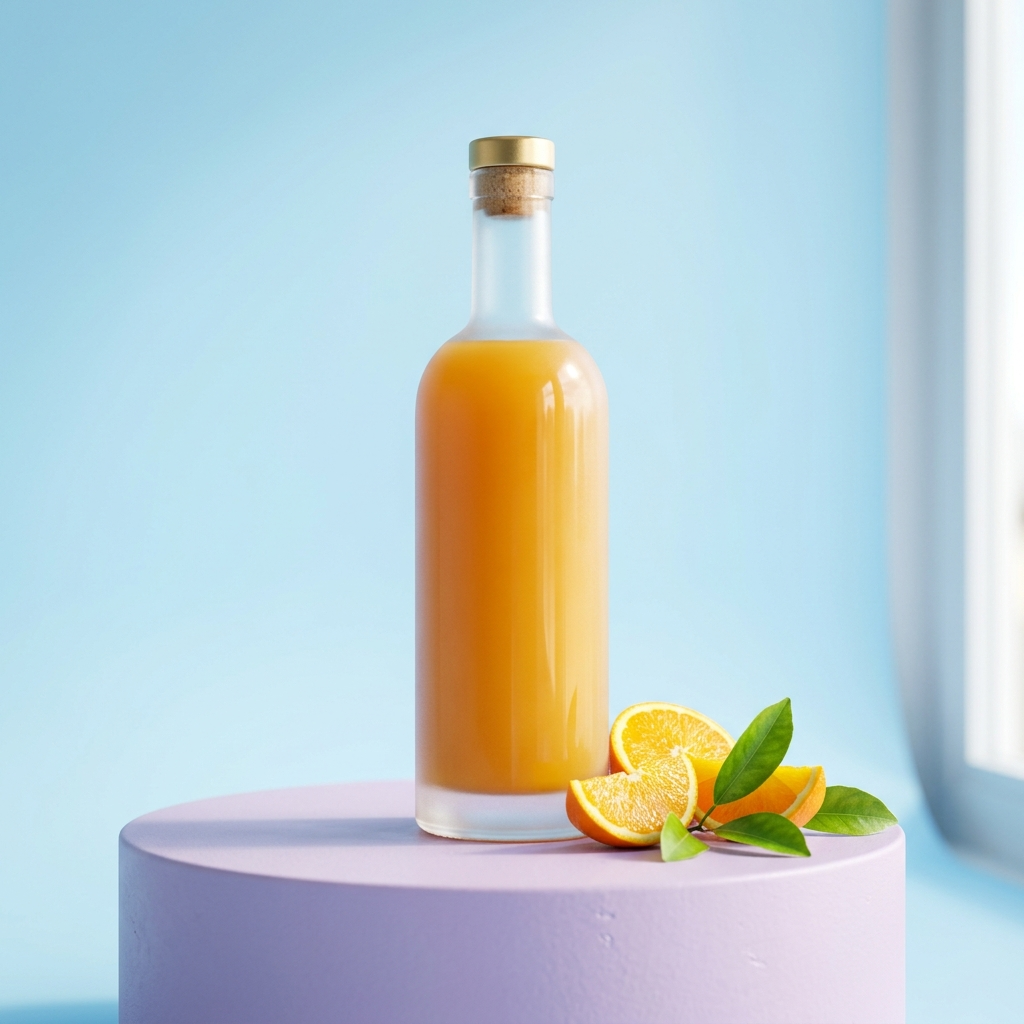
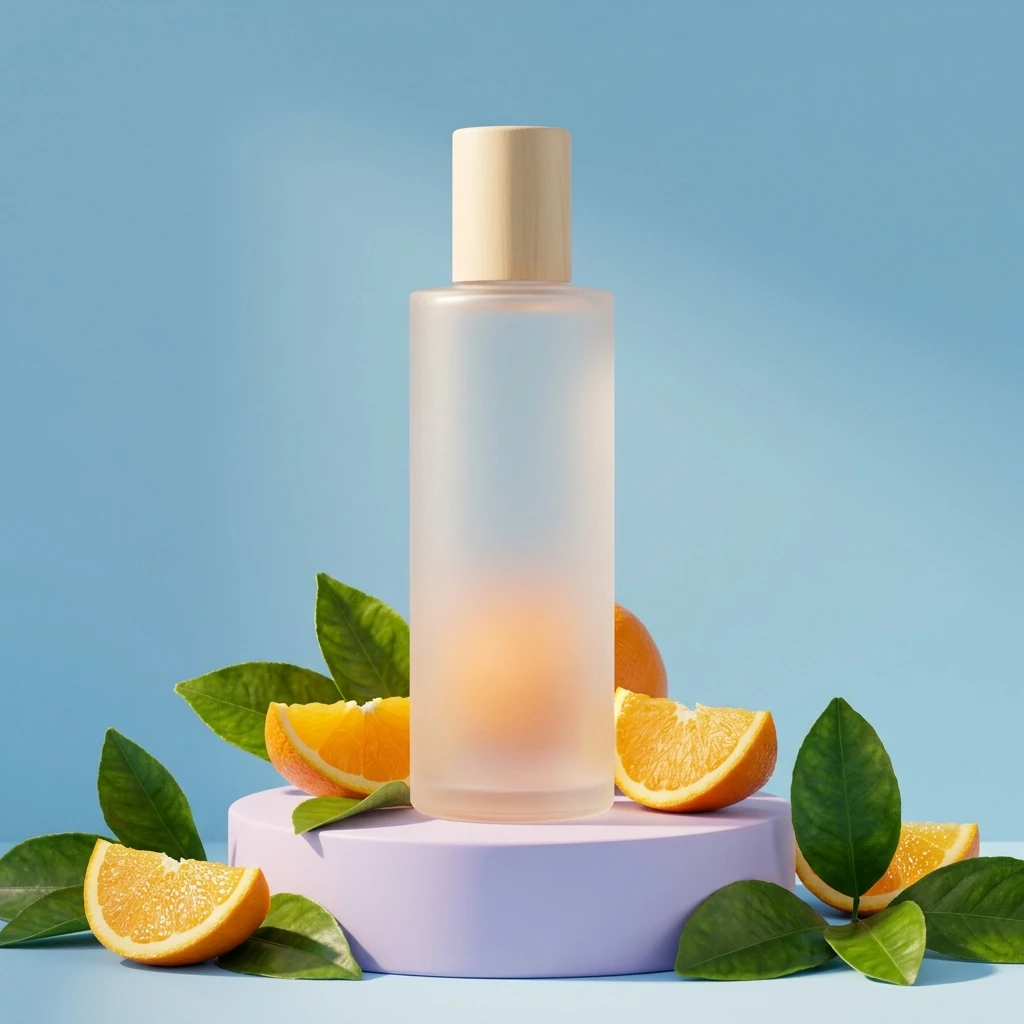
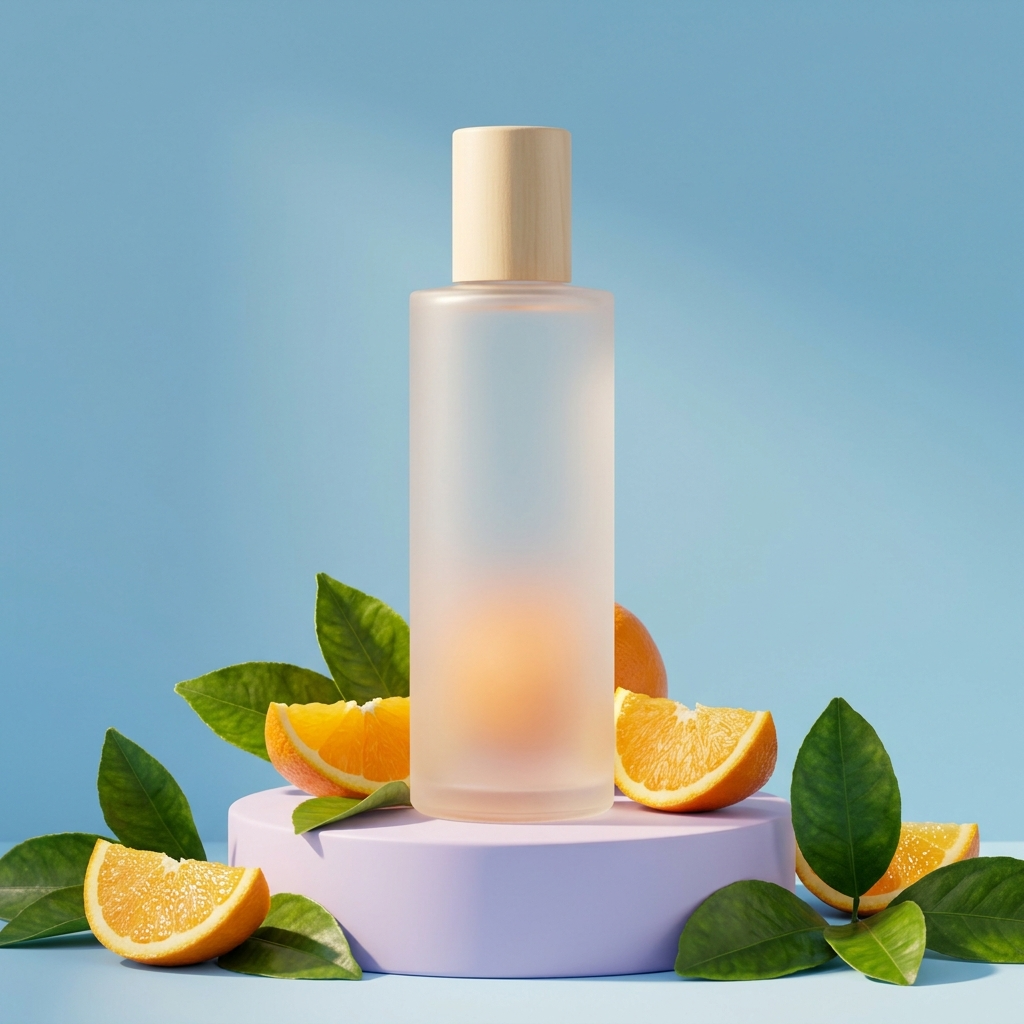
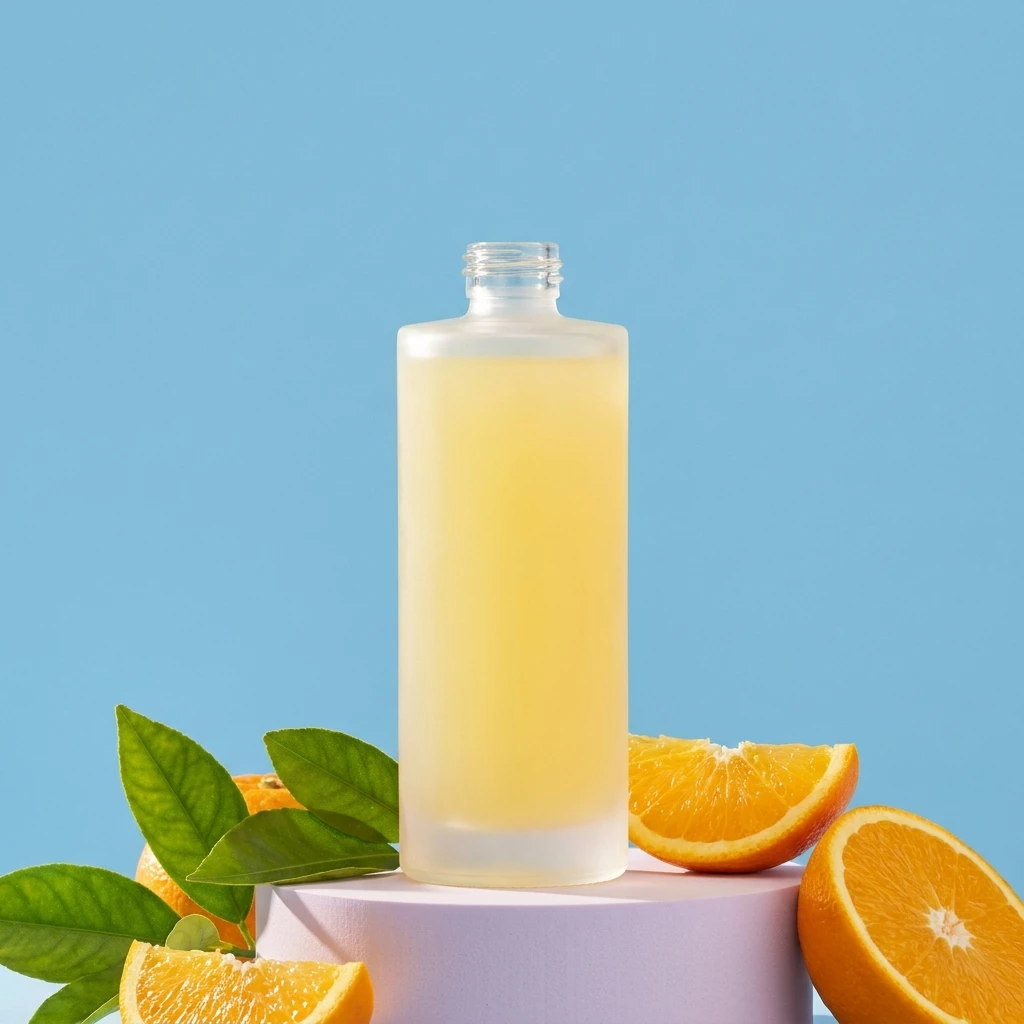
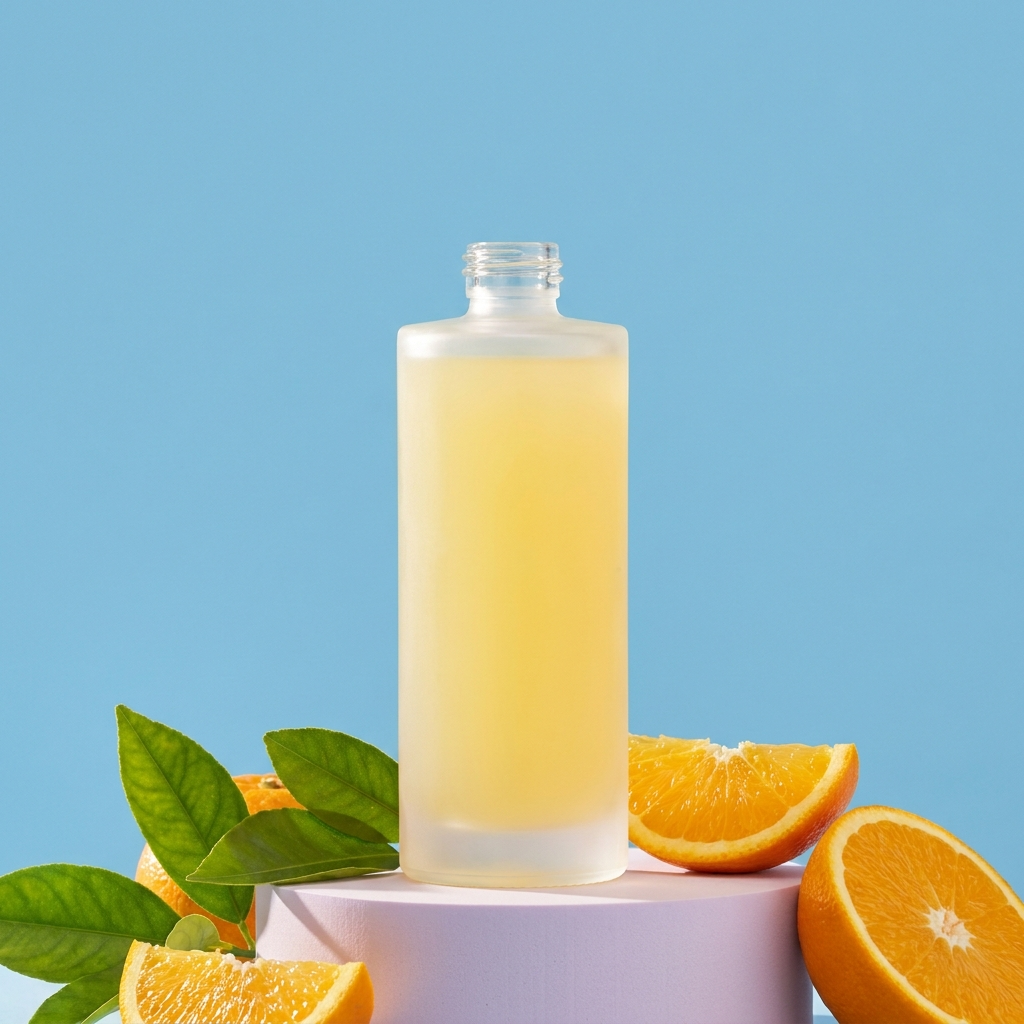
Finding: All samples use the requested blue backdrop, lavender plinth and citrus props. Bottle proportions, closure and glass opacity differ.
In this run, 2.1 gives the most visibly diffuse frosted finish. No exact product reference was supplied, so none of these images proves preservation of a real product's shape.
Poster headline accuracy
Shared prompt: Contemporary travel poster of a Mediterranean coast, turquoise water, coral buildings and lemon trees, flat illustration with paper grain. Exact headline: "COASTAL DAYDREAM". Exact footer: "TAKE THE SCENIC ROUTE". No other text.
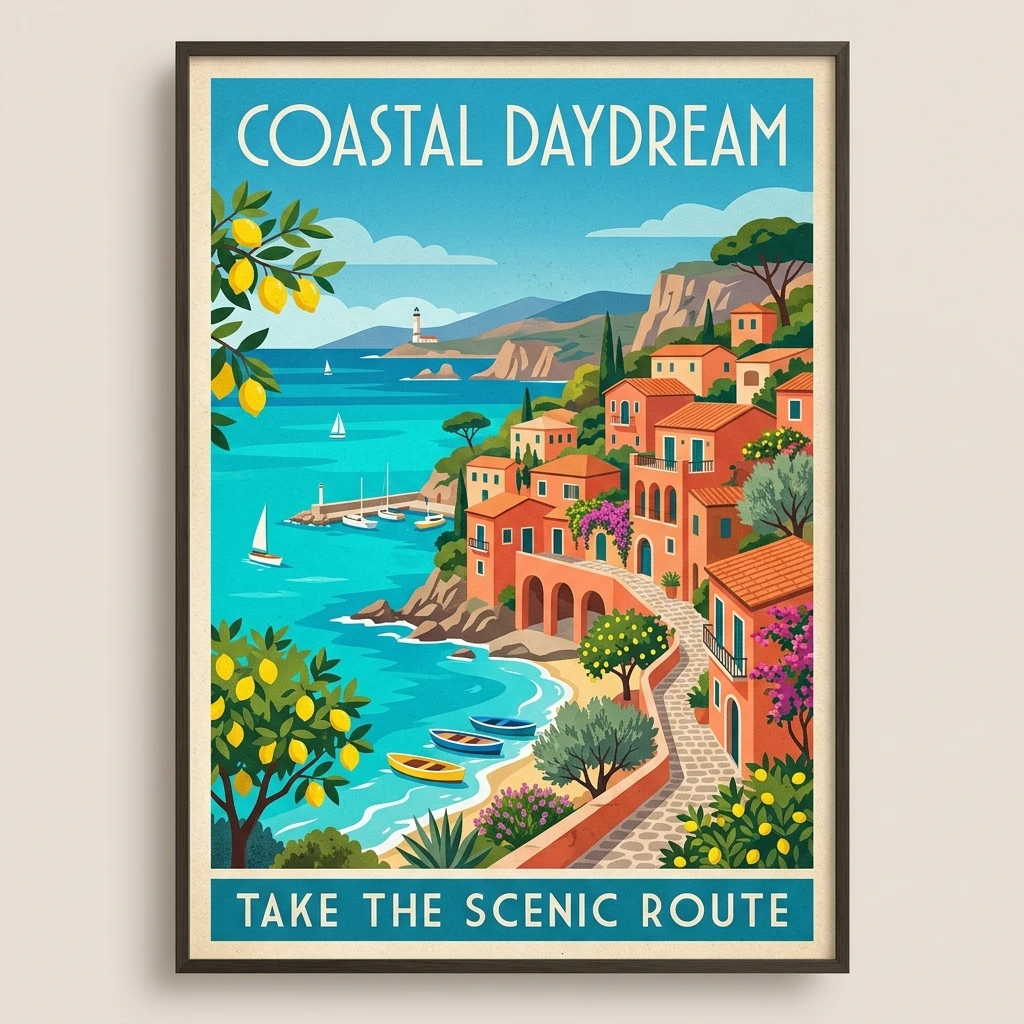
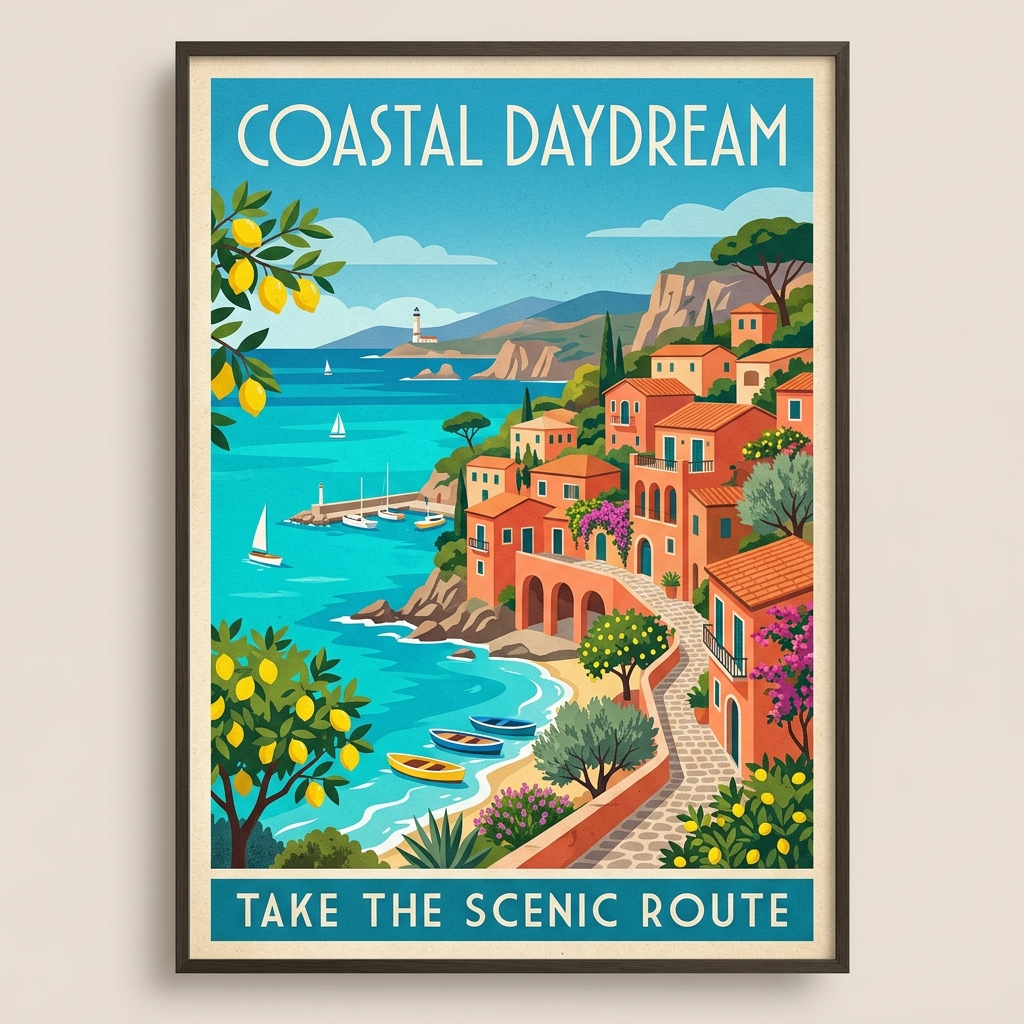
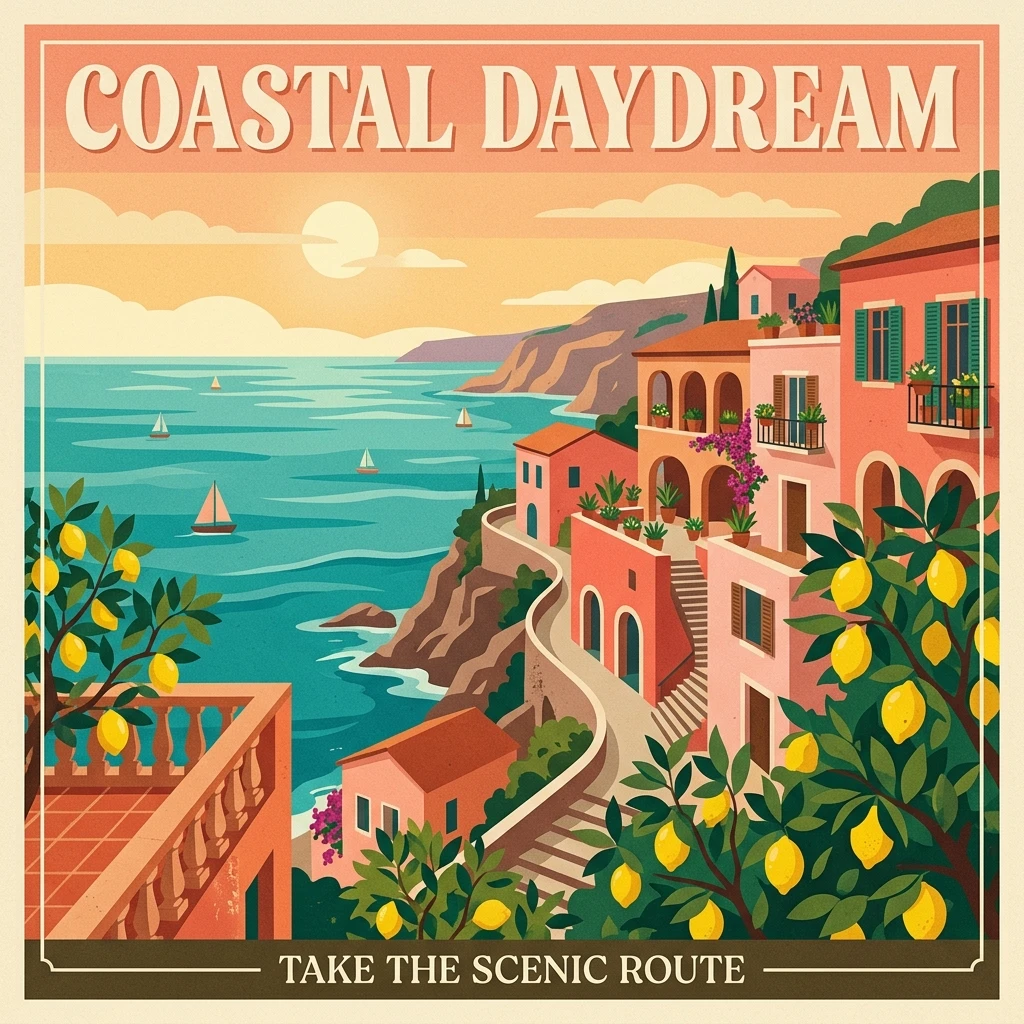
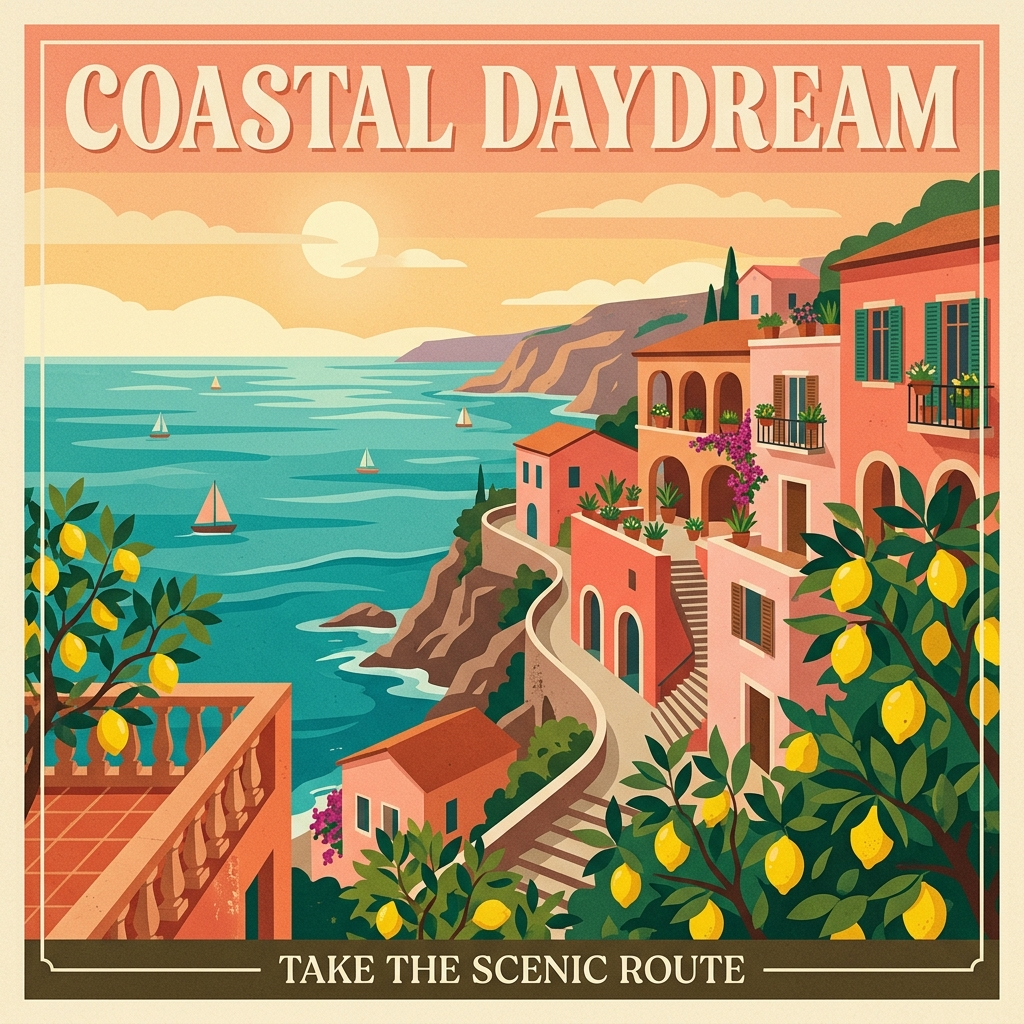
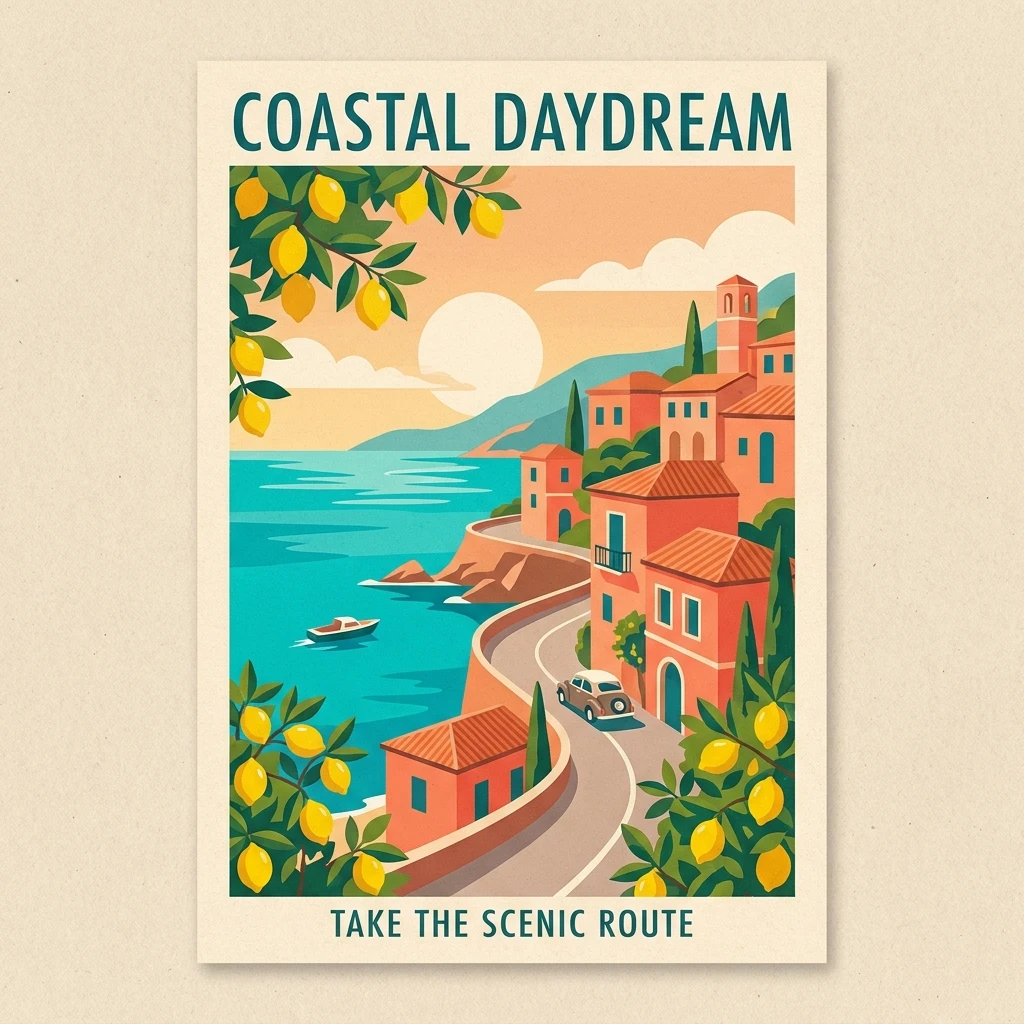
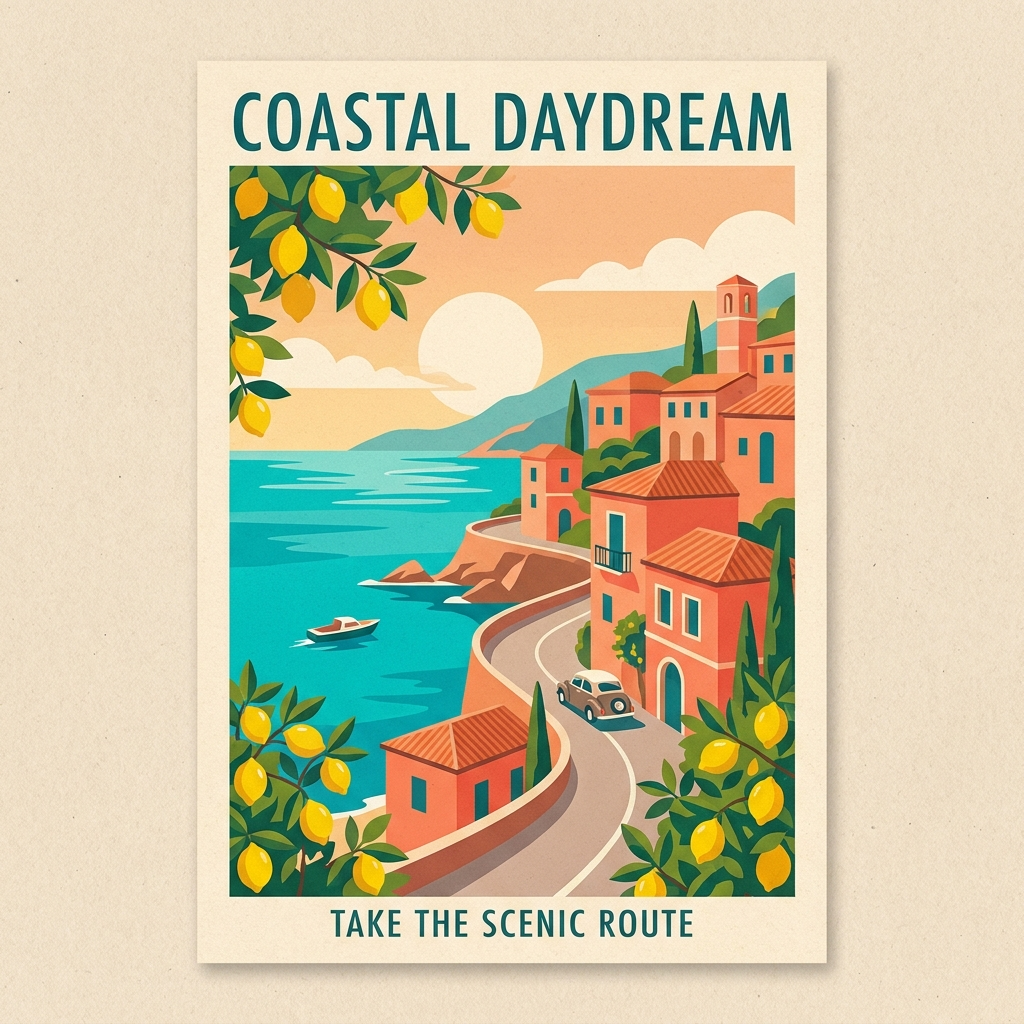
Finding: All three single-run outputs reproduce COASTAL DAYDREAM and TAKE THE SCENIC ROUTE correctly on visual inspection.
This case does not separate the models on the requested wording; typography, framing and composition are the visible differences. One correct example is not a text-accuracy rate.
Infographic order and labels
Shared prompt: Coffee process infographic titled "HOW COFFEE IS MADE". Show exactly five numbered steps in order: HARVEST, DRY, ROAST, GRIND, BREW. Simple line icons, charcoal background and gold details. No additional labels.
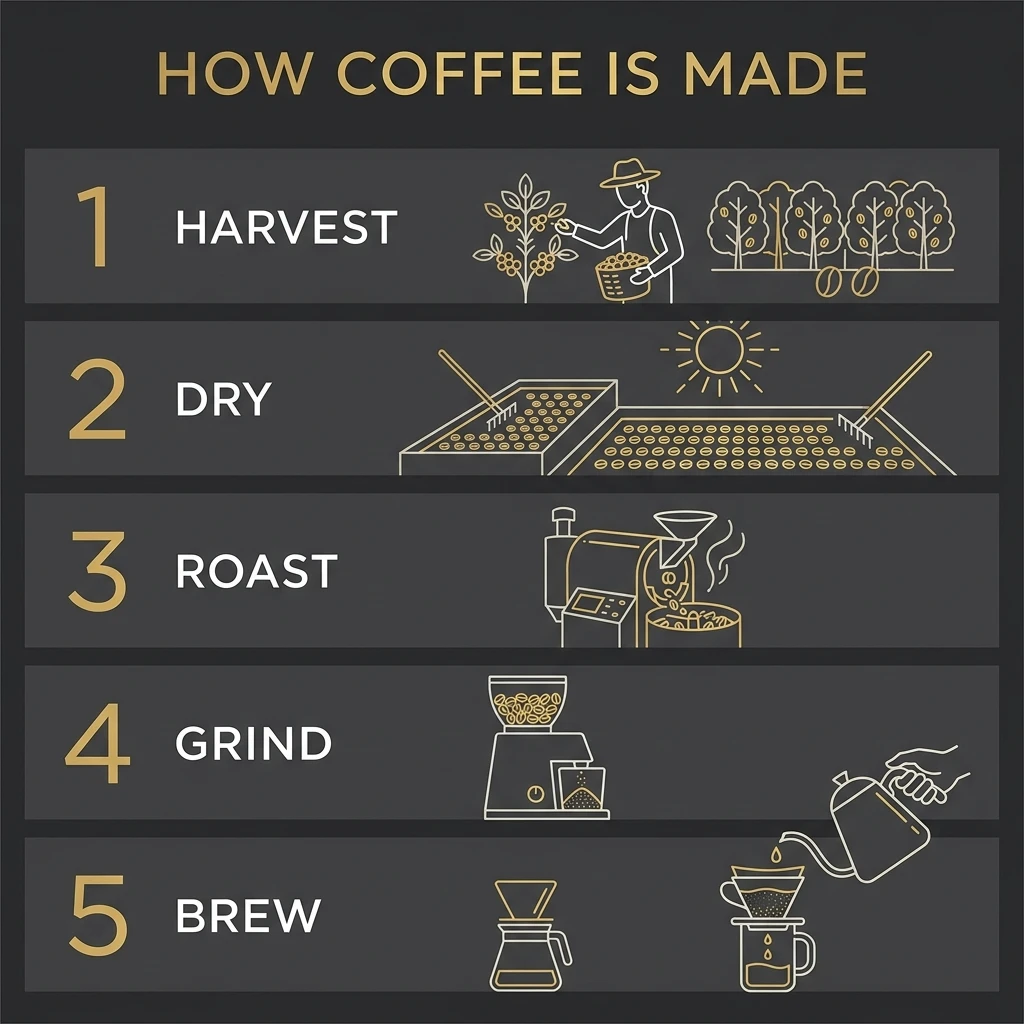
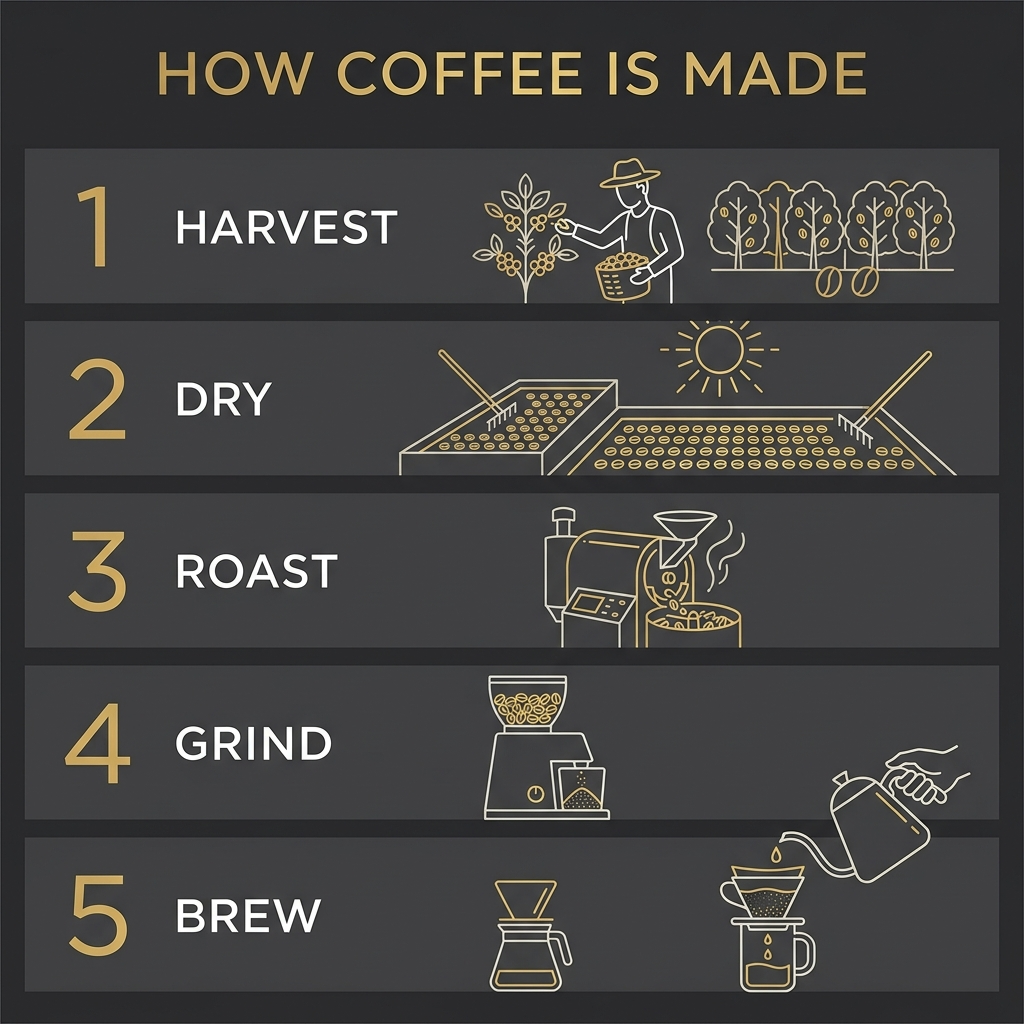
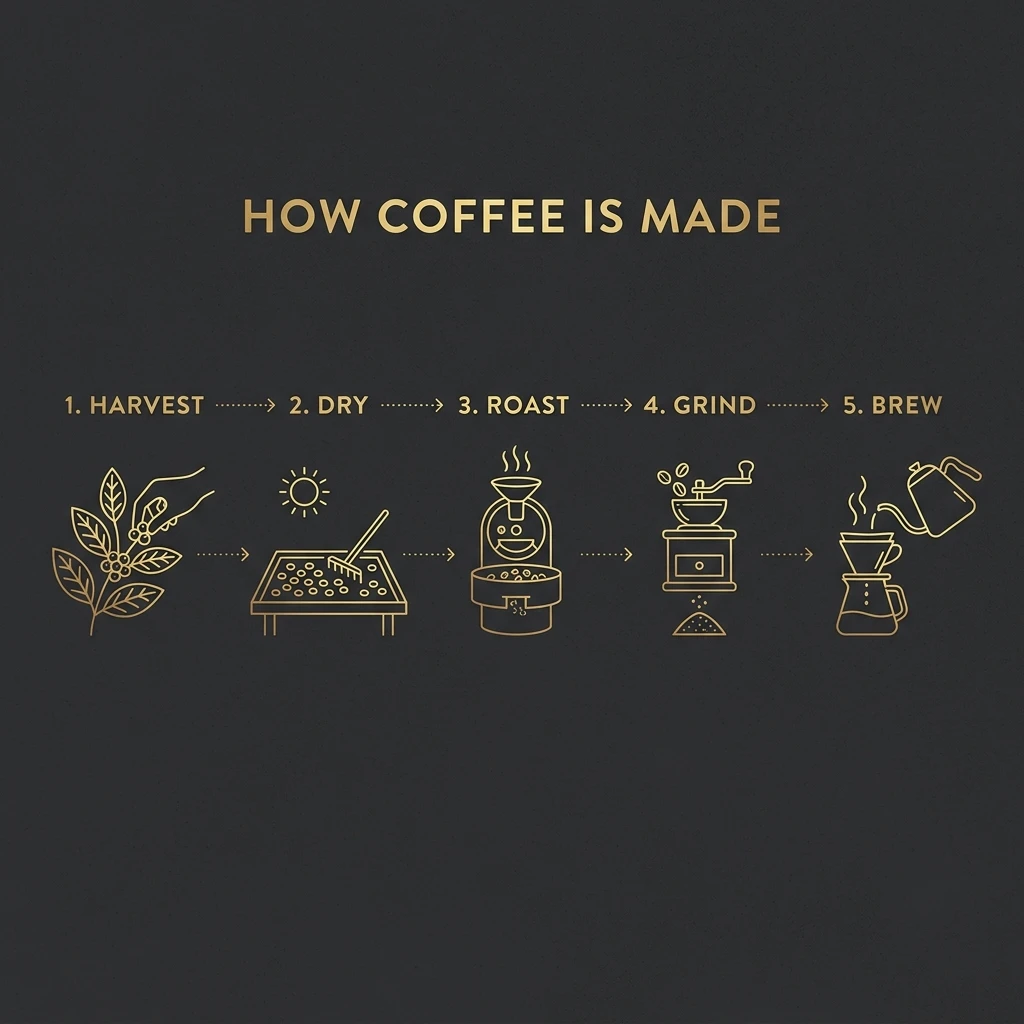
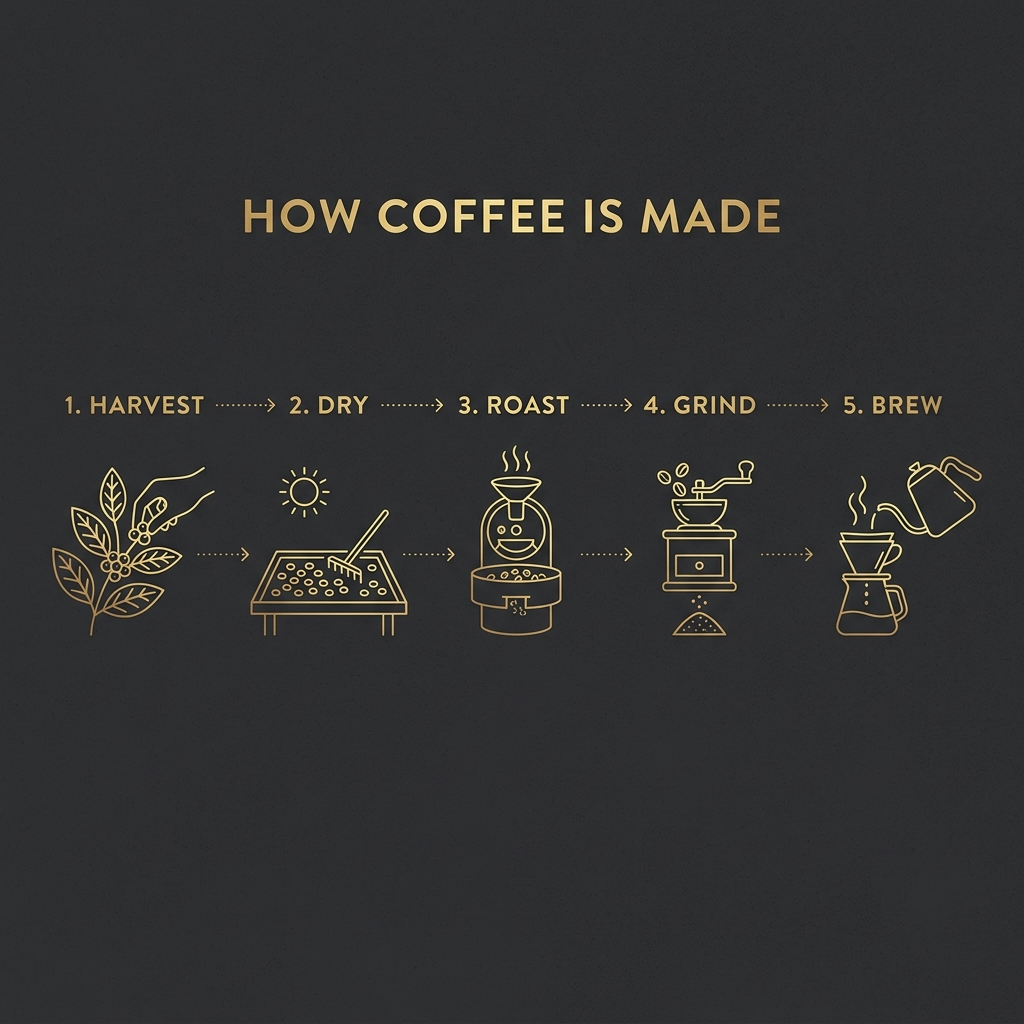
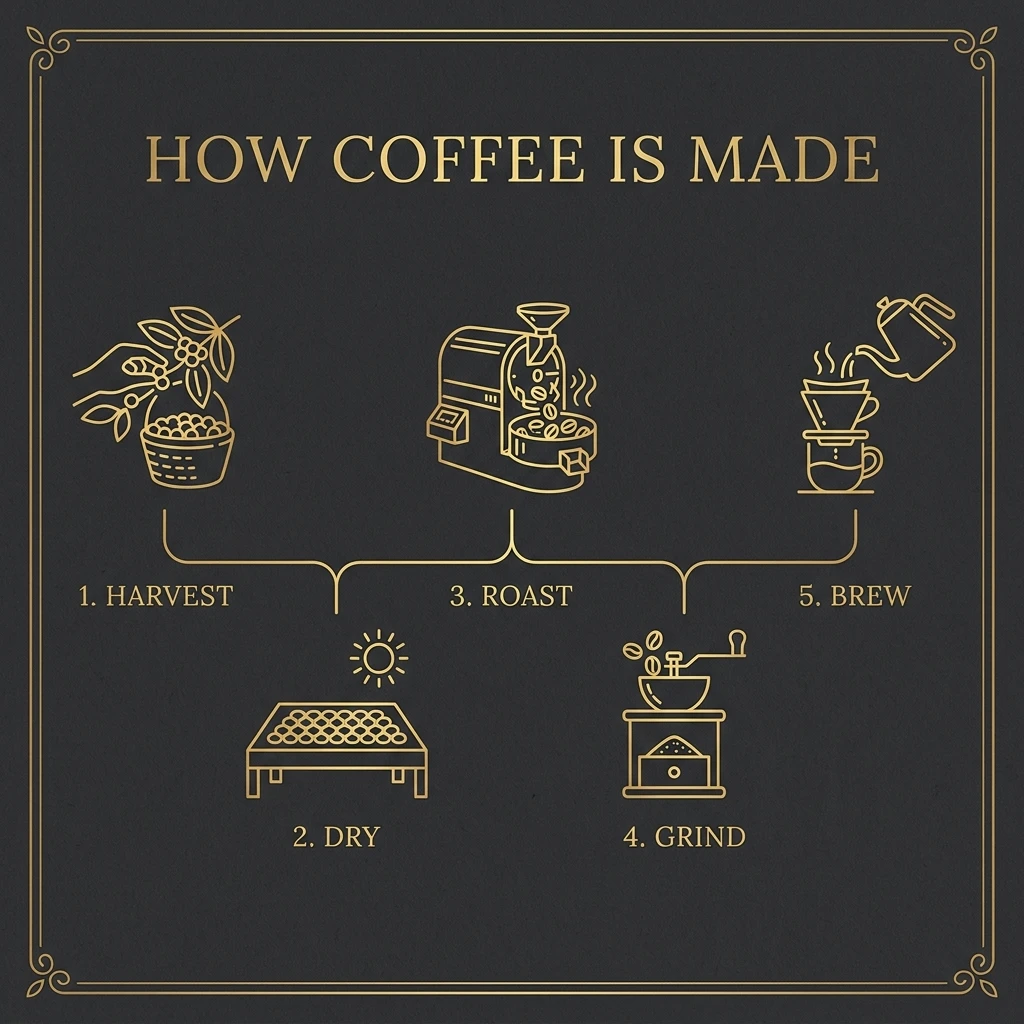
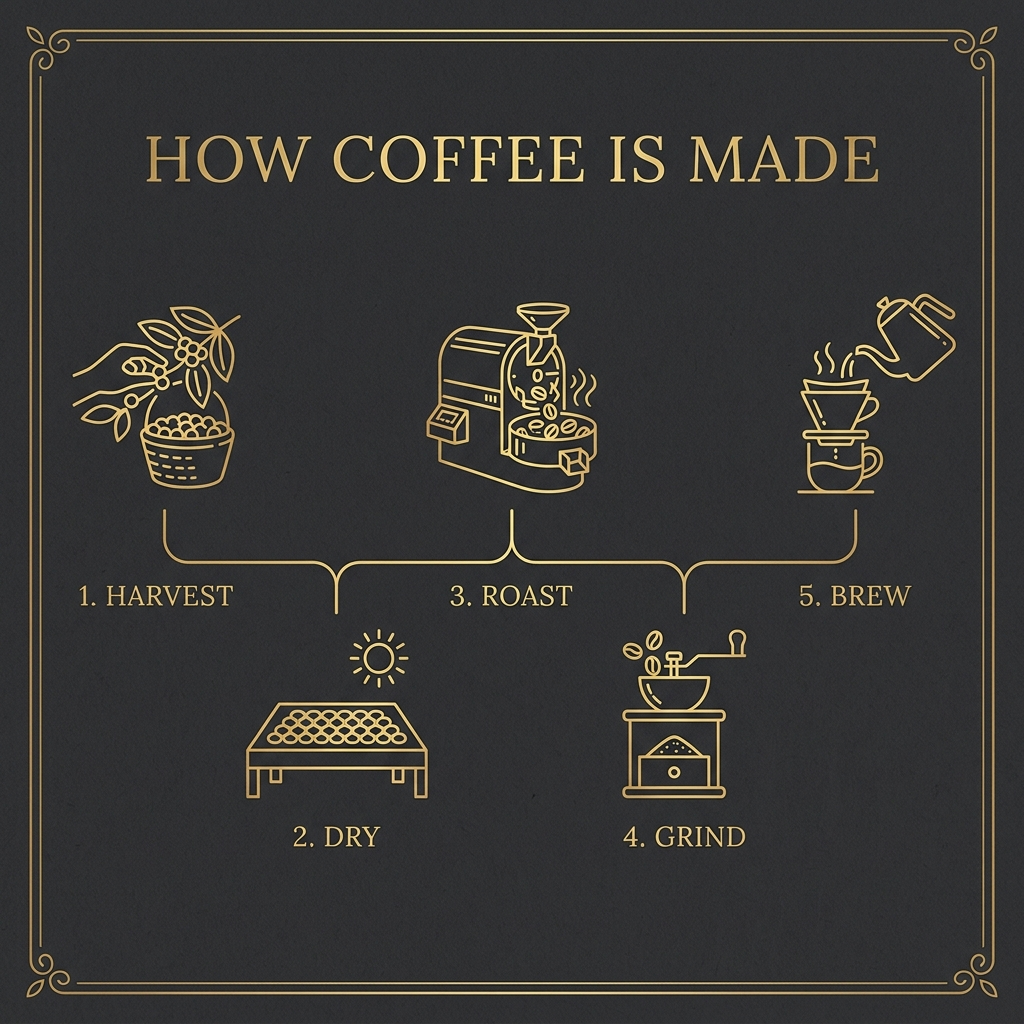
Finding: All samples include the title and five correctly spelled step labels. Their reading order is expressed through different layouts.
For an immediately linear sequence, the vertical 2 layout or horizontal 2.1 layout is easier to scan in this sample. Pro's decorative layout requires following the step numbers.
Reference-guided local edit
Shared prompt: Using the same supplied portrait reference, change only the jacket to an ivory blazer. Preserve the face, hairstyle, pose, camera viewpoint and background. Keep the original lighting. Do not add accessories or text.







Finding: All three outputs add the ivory blazer, but none preserves the source framing exactly. The source wears a white shirt, although the shared prompt calls the garment a jacket.
This run is not a strict unchanged-pixels test: the portrait reference is 3:4, while all outputs request 1:1. Treat it as a clothing-edit example with a disclosed framing limitation.
Character across a new scene
Shared prompt: Use the supplied astronaut bear reference for character identity and the supplied greenhouse reference for the setting. Place the same bear beside the greenhouse door. Keep the face markings, suit colors and body proportions. Soft daylight; no text.
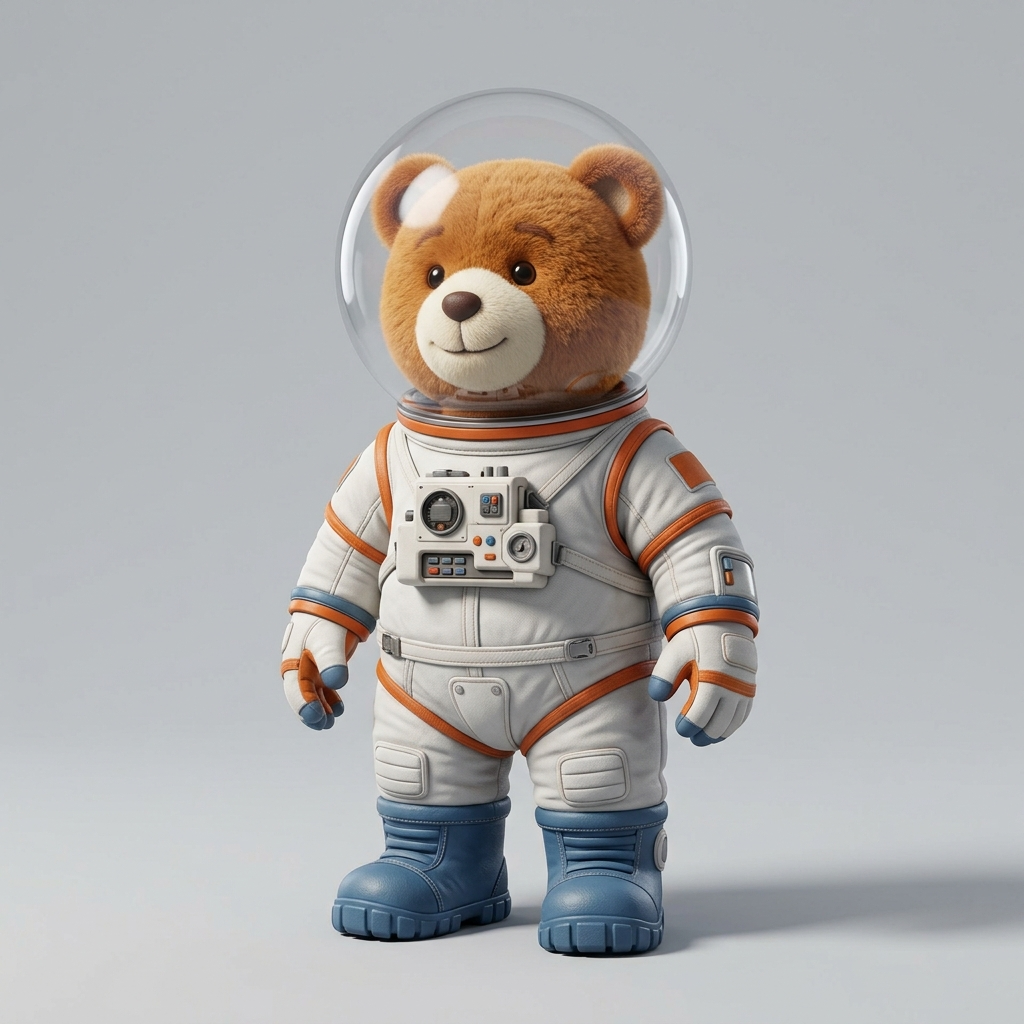
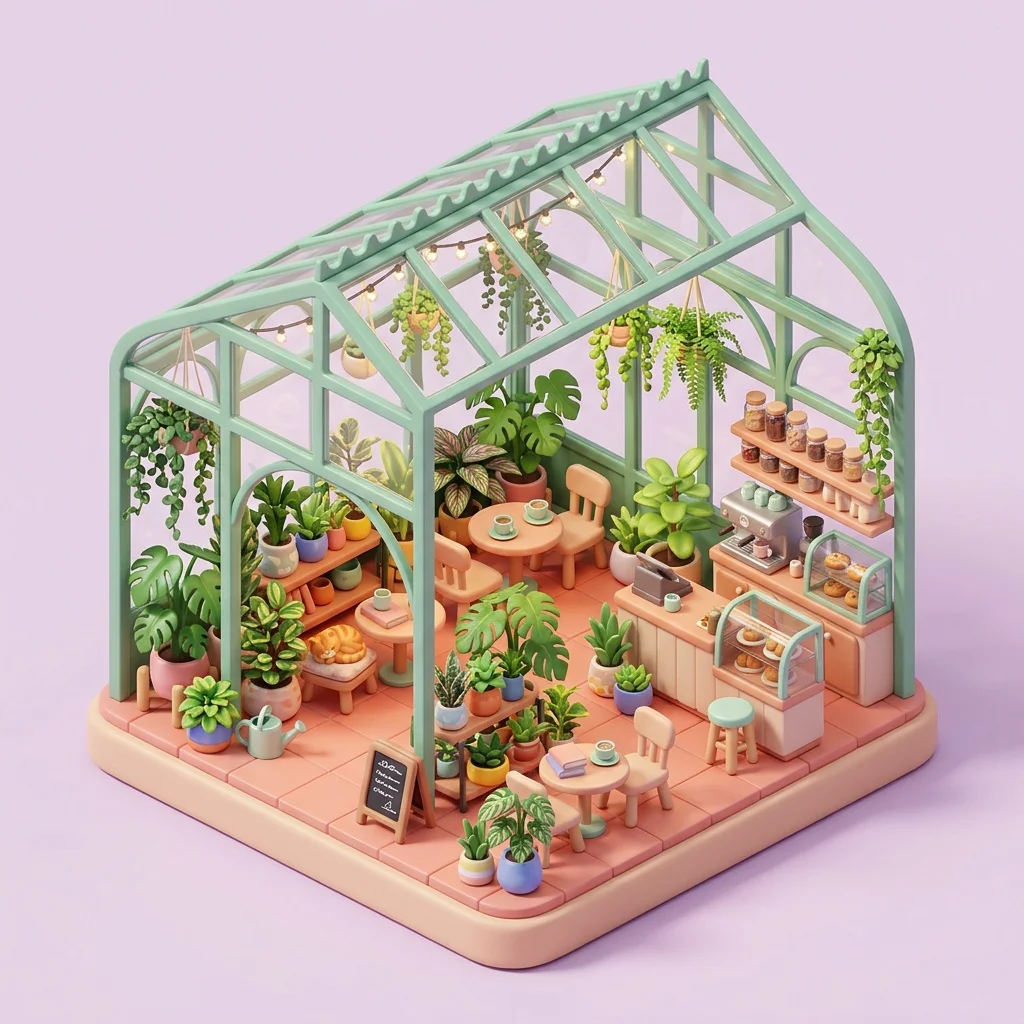
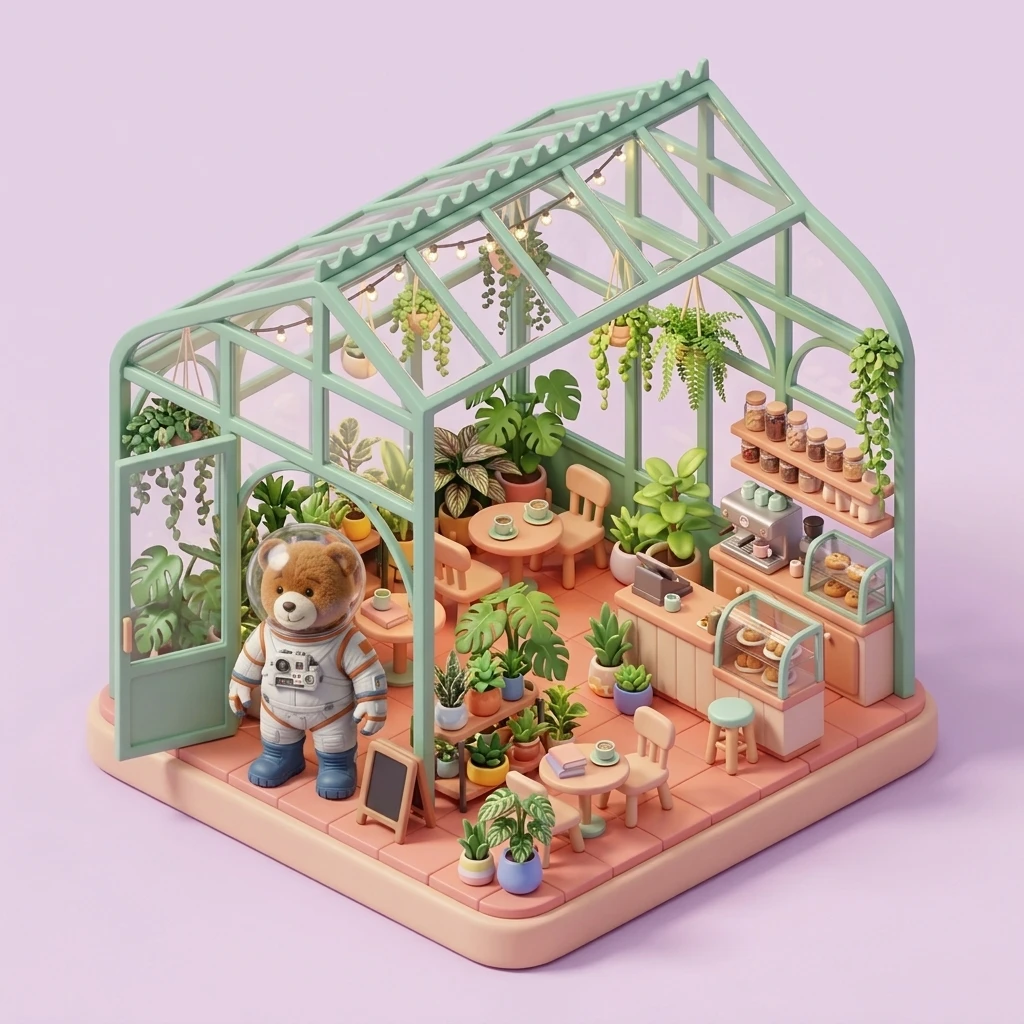
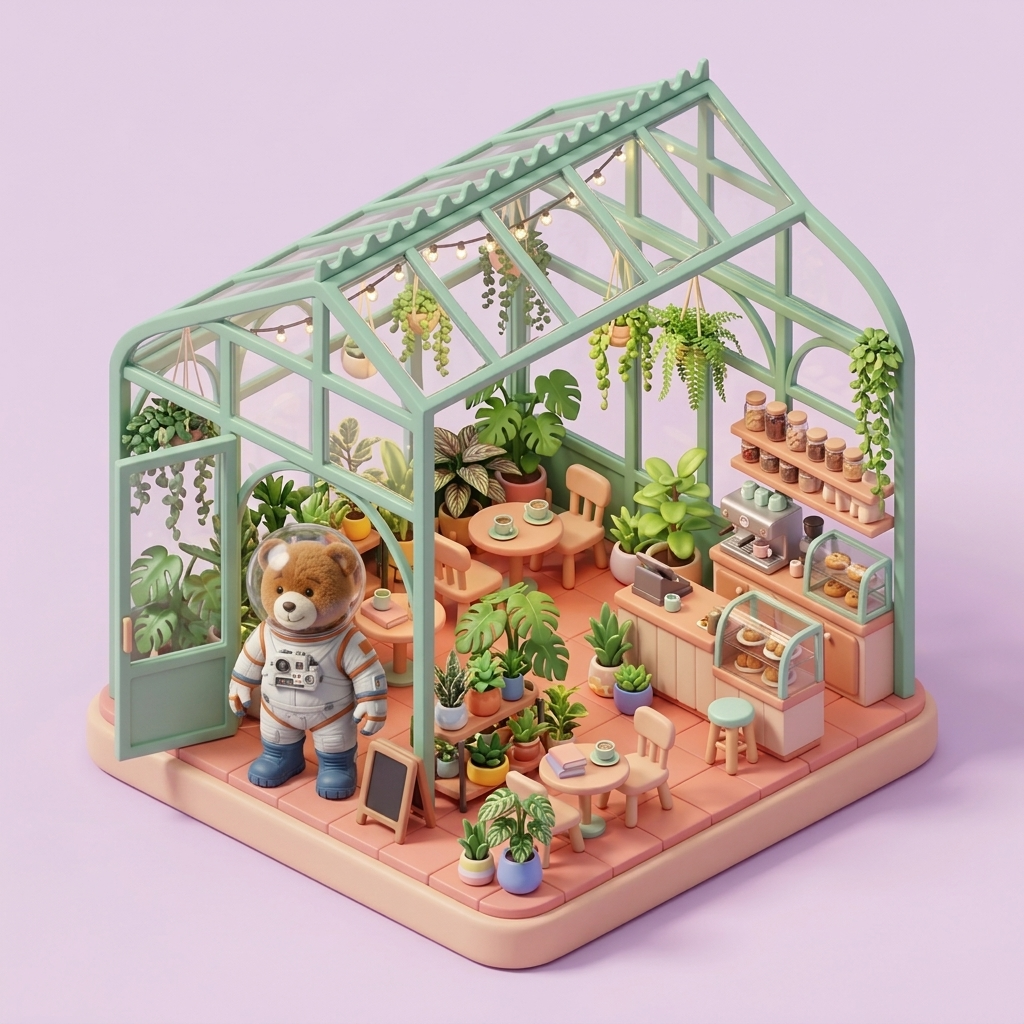
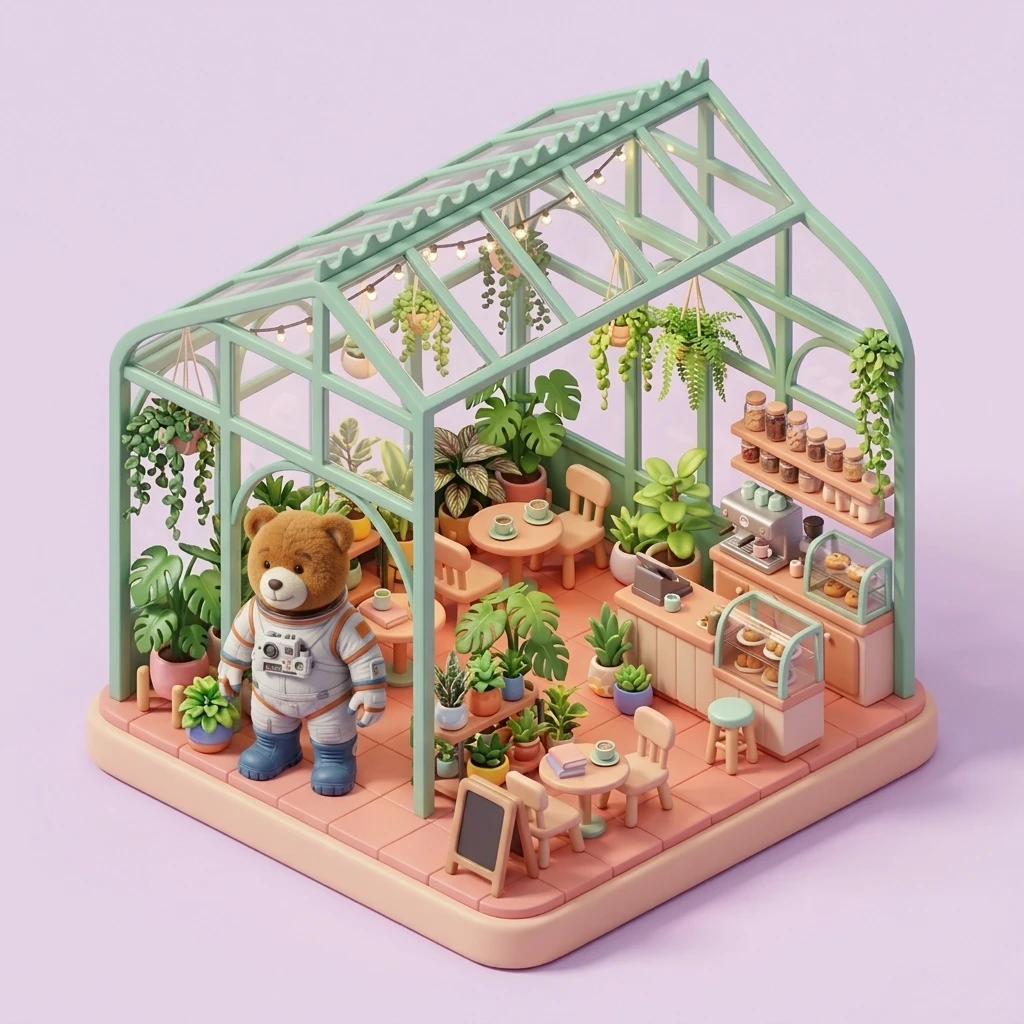
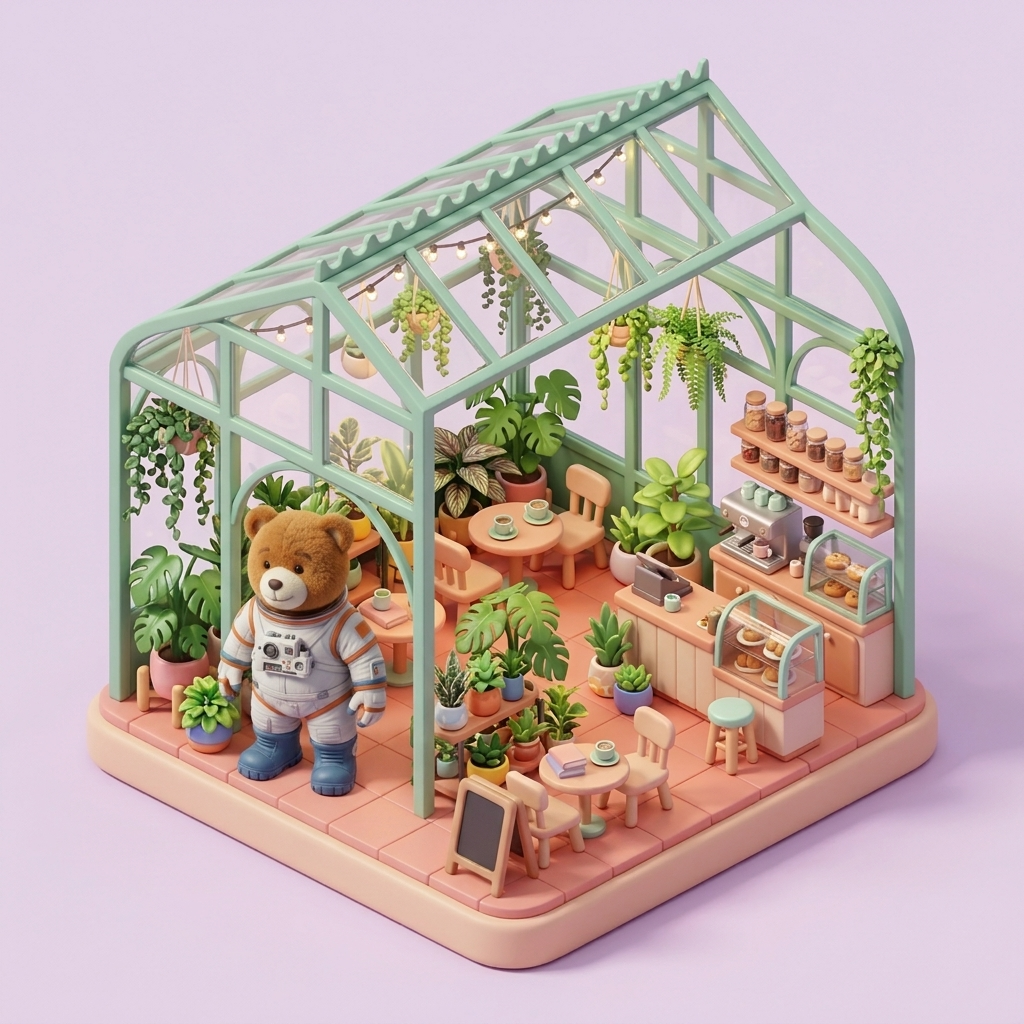
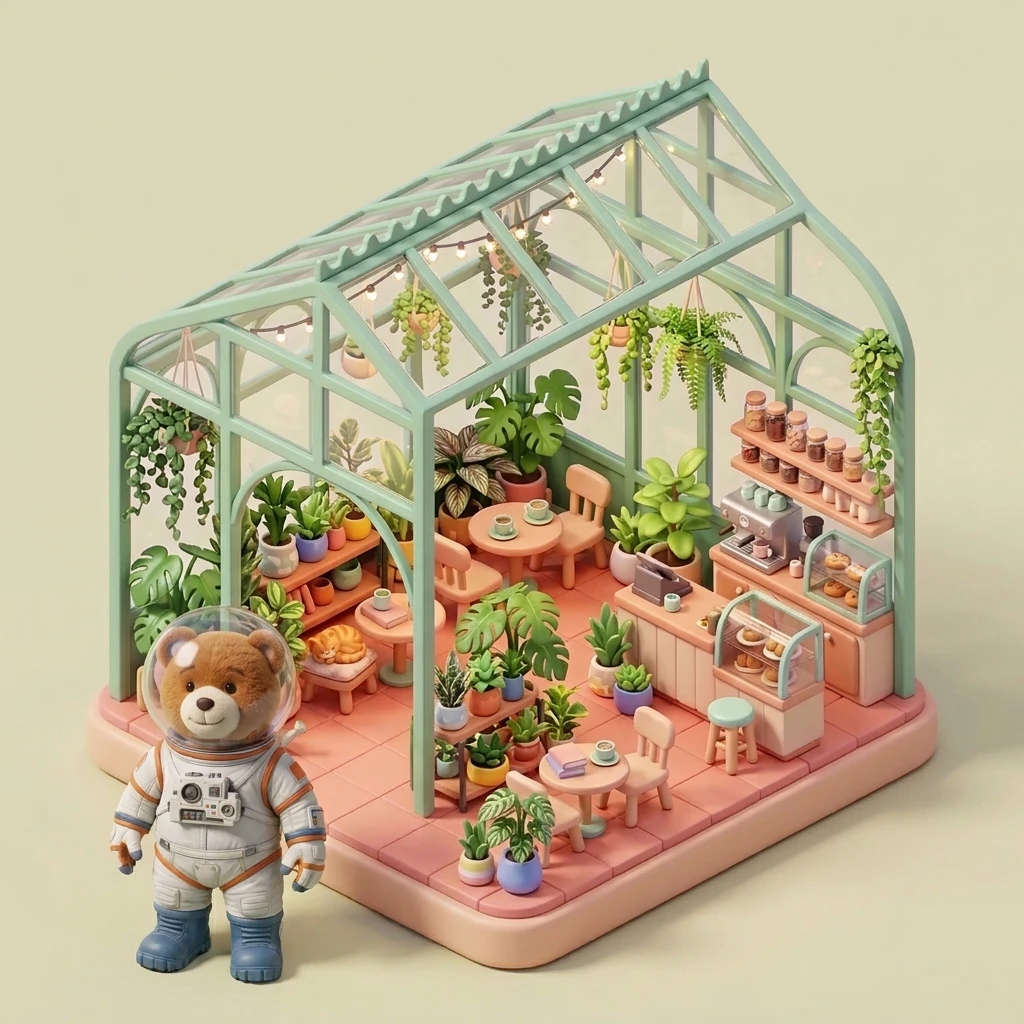
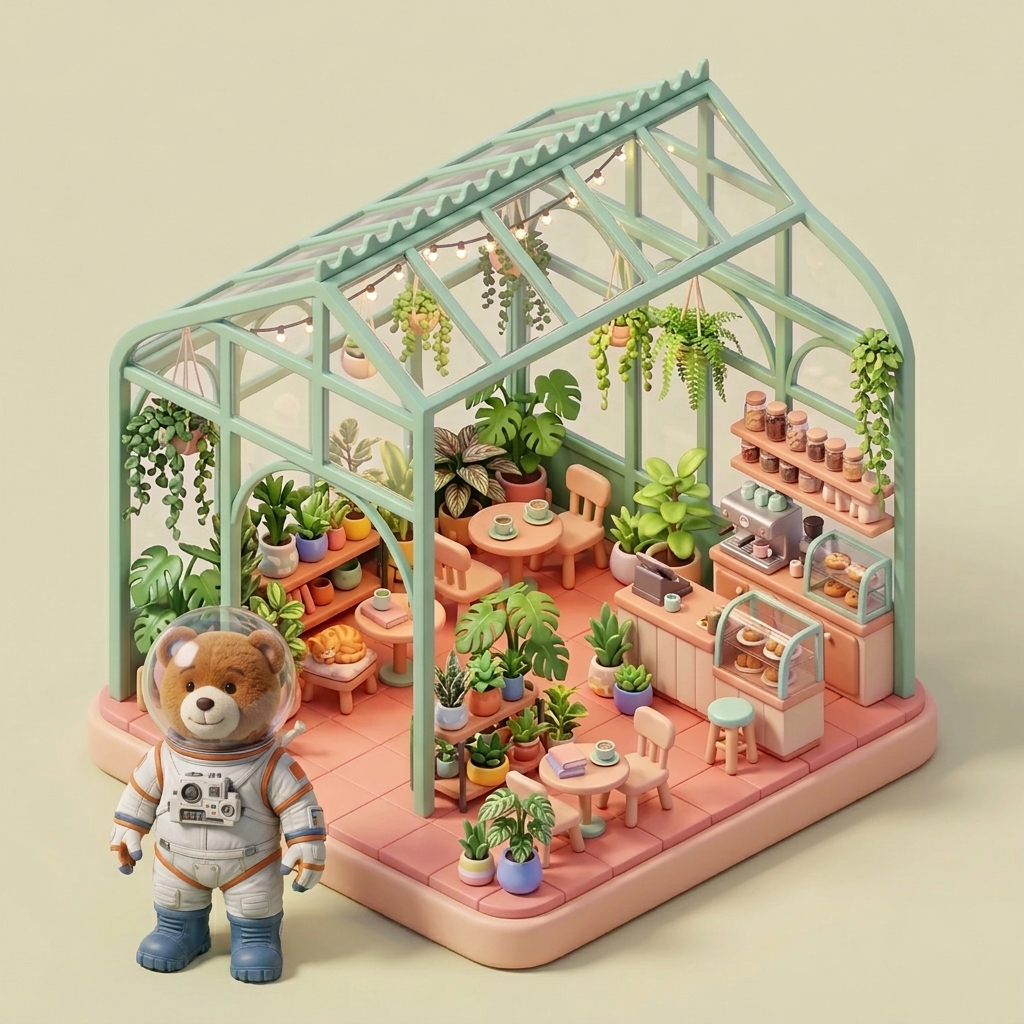
Finding: All three combine the bear and greenhouse references. The 2.1 sample loses the helmet; scale, placement and background treatment also differ.
Reference details are not guaranteed to survive compositing. In this sample, 2 and Pro retain the helmet more clearly; repeated runs would be needed to estimate consistency.
How many credits do 10, 50 or 100 images cost?
Multiply the number of images by the selected model’s per-image credit rate. The quantities are output counts, not a promise that you can request 100 images in a single action. A four-image request consumes four times the single-image amount; additional iterations add further costs.
| Resolution | Images | Nano Banana 2.1 | Nano Banana Pro |
|---|---|---|---|
| 1K | 10 | 150 | 1,100 |
| 1K | 50 | 750 | 5,500 |
| 1K | 100 | 1,500 | 11,000 |
| 2K | 10 | 250 | 1,100 |
| 2K | 50 | 1,250 | 5,500 |
| 2K | 100 | 2,500 | 11,000 |
| 4K | 10 | 350 | 1,700 |
| 4K | 50 | 1,750 | 8,500 |
| 4K | 100 | 3,500 | 17,000 |
For example, ten 1K images cost 150 credits with 2.1 and 1100 with Pro. These figures establish a difference in generation cost, not a difference in successful deliverables. If a brief takes several attempts to satisfy, include every iteration in your project budget. Start with a small sample before committing your entire balance to a campaign.
Cash cost depends on your credit plan or one-time pack. Monthly allocations, annual billing and unused credits affect the amount you actually spend per usable image. There is no universal dollar conversion for one credit across all plans. Nano Banana 2 has no separate selectable rate here, so its column is omitted rather than populated with an invented price.
Moving from Nano Banana 2
Keep your existing prompt, then choose Nano Banana 2.1 and compare a small batch before migrating the whole project. Record the original result and the details that must remain consistent. A prompt that worked elsewhere is a useful baseline, but it does not ensure identical output after a model change. The purpose of migration is to preserve the brief while measuring whether the new workflow meets it.
- Keep the prompt. Save the exact wording, aspect ratio, source images and approved output. Write a short acceptance checklist: identity, product geometry, colors, required words and areas that must remain unchanged. Avoid rewriting the prompt during the first comparison, because then you would be testing two changes at once.
- Switch the model. Open the composer and select Nano Banana 2.1. Generate one image first and inspect it against your checklist. If something fails, change one instruction at a time and keep a record of the revision. Try Pro separately if you want a second candidate, and compare results before spending on a larger batch.
- Add reference images. Upload the images that matter to the brief and name their roles clearly: identity, product, pose or style. The 2.1 workflow accepts up to 10 references, while Pro accepts up to 8. Use the same supported subset for a fair comparison. Describe what to change and what to retain; a reference or marked region does not guarantee untouched surrounding pixels.
- Choose the resolution. Begin with 1K when you are checking layout and wording, then request 2K or 4K when the composition is ready for review at delivery size. Recheck small text and edges in the new output rather than assuming a higher-resolution run will be identical. Keep the final source prompt with the delivered file for reproducibility.
If your first output misses the brief, diagnose the failure before adding more adjectives. An ambiguous subject needs a clearer subject description; incorrect text needs exact quoted wording; conflicting references need clearer roles. The prompt library provides starting points for portraits, products and layouts. Adapt one example at a time so you can understand which instruction helped.
Frequently asked questions
Which is better: Nano Banana 2.1, Nano Banana 2 or Pro?
For a new project on this site, start with 2.1 because it is selectable and uses fewer credits per image than Pro. That is a budgeting recommendation, not a measured quality ranking. Nano Banana 2 is not separately selectable here. Choose the result that passes your own checks for identity, text, composition and useful detail.
Is Nano Banana 2.1 worth upgrading to?
It is worth evaluating if you need an image workflow available in this composer with up to 10 reference images and 1K, 2K or 4K output. Keep your previous prompt and approved images as a baseline. Run a small pilot before moving a complete campaign; a different model can interpret the same wording differently.
Does Nano Banana 2.1 cost less than Pro?
Yes, in site credits at every listed resolution: 15 versus 110 at 1K, 25 versus 110 at 2K, and 35 versus 170 at 4K. These are generation credits, not dollars or external API prices. Your cash cost depends on the plan or credit pack you purchase and how much of that allocation you use.
Can I keep using Nano Banana 2?
Nano Banana 2 is not a separately selectable primary model on this website. If you already use it through another service, confirm that service’s current availability and terms. This page does not establish a shutdown date. Retain your source prompts and approved outputs so that you can evaluate another model without losing your baseline.
Does Pro guarantee better text or faster generation?
No guarantee or measured ranking is provided here. The displayed poster samples reproduce both requested phrases, but the infographic layouts differ. One output per prompt does not establish accuracy rates or a speed ranking. Check every headline and label against the exact requested wording, and measure elapsed time over several comparable runs. A higher credit price is not evidence that every output will be better or faster.